 XI Wiki

Aha, I kind of thought that's what you might have been getting to after a bit. Shit's retarded, then again.. most people are.
Maybe the angle is just deceiving with the corners of her mouth and all, but they're not that bad. They're just like my Elin's, just not as accentuated because my Aman has lipstick on. Now I want to change them ... do not want duck face. ><
- Navigation
Results 1181 to 1200 of 2052
Thread: TERA: Online - Media


-
2012-04-02 20:09 #1181Salvage Bans

- Join Date
- Mar 2006
- Posts
- 947
- BG Level
- 5
- FFXIV Character
- Zaela'saani Anahss
- FFXIV Server
- Gilgamesh
- FFXI Server
- Quetzalcoatl
- WoW Realm
- Skywall


-
2012-04-02 20:22 #1182Sea Torques
- Join Date
- Oct 2006
- Posts
- 739
- BG Level
- 5
what offensive duckfaces, good lord. only one forgiven is bottom left, ay gurl
-
2012-04-02 20:23 #1183Bitchfist
- Join Date
- Oct 2006
- Posts
- 4,322
- BG Level
- 7
- FFXIV Character
- Indalecia Salavachere
- FFXIV Server
- Midgardsormr
- FFXI Server
- Asura

-
2012-04-02 23:08 #1184D. Ring
- Join Date
- Jul 2011
- Posts
- 4,786
- BG Level
- 7
- FFXI Server
- Lakshmi
Hm...which file do you set that value in, and what is the node? Is there someplace that documents manual config changes? I'd like to push mine more than what Nvidia lets me manually set. Originally Posted by Shassira

-
2012-04-03 07:07 #1185Sea Torques
- Join Date
- Dec 2007
- Posts
- 565
- BG Level
- 5
- FFXI Server
- Leviathan
 File is: TERA-EU\Client\S1Game\Config\S1Input.ini Originally Posted by Kachiko
I made a toggle script so that you can switch between two FOVs (you can make a script change and cycle with more values however). Add these lines to the file anywhere you like after the header [Engine.PlayerInput]. For example, place them under the line that says bEnableMouseSmoothing=true
The key bound here is "insert", but you can change it to anything you like; for example "PageUp". Replace the word "insert" on all three lines to change it.Code:Bindings=(Name="SwitchToFov100",Command="fov 100 | SetBind insert SwitchToFov60") Bindings=(Name="SwitchToFov60",Command="fov 60 | SetBind insert SwitchToFov100") Bindings=(Name="insert",Command="SwitchToFov100")
Important: To stop the game from overwritting this file you'll need to change its properties to "Read only" after you are done editing. Right click on it -> Properties -> check Read Only.
Finaly, you can modify the FOV value on the command="" section to anything you like. The default the game uses is 60, you may want to try 90 instead of 100 or whatever suits your needs.
As for documentation, general Unreal Engine 3 docs will work. However, not all configuration options found on the files are guaranteed to work in game. As with any game that uses the UE3 engine, or any engine for that matter, it's possible that they have tweaked the base foundation enough so that the exposed externals of the engine aren't even actualy used.
For example, you can find "god mode" tags within the configuration... these will obviously do nothing in game.
-
2012-04-03 13:53 #1186Relic Horn
- Join Date
- Apr 2009
- Posts
- 3,132
- BG Level
- 7
According to size. Originally Posted by Prothescar
-
2012-04-03 17:49 #1187D. Ring
- Join Date
- Jul 2011
- Posts
- 4,786
- BG Level
- 7
- FFXI Server
- Lakshmi
Awesome. Thanks for the file location; I see a lot of stuff in there, so good times. Originally Posted by Shassira
-
2012-04-05 09:14 #1188Fake Numbers
- Join Date
- Apr 2010
- Posts
- 38
- BG Level
- 1
- FFXI Server
- Quetzalcoatl
Wow, i didnt know this game has such an open options system, that it was in the form of a basic ini file. Im seeing option in these ini's that seem to be hidden under some conditions, like under the options.ini they have CAST_SKILL_TO_CAMERA_DIR=True, which as far as i could find, it only available to change if you plug a control into the game first. Have to play with these setting to see what changes in the game and what will not.
Do you know any setting off hand that might effect frame rate reducing over time (i dont use auto optimize in any way). Its only if I go into instances after having been "around the world". For whatever reason once the instance loads my game pretty much drops all frames and looks like im watching southpark until i shut the game off and reload back inside the instance... If I had to take a guess, its remembering everything from outside and inside and overloading my memory or something. I have 1gig ddr3 g-card, upgraded to 8gig ram so that i can finally alt-tab without listening to the computer grind out the hard drive swapping windows/tera memory outa the pagfile. Yet the game still just drops down to god knows what for a framerate when iv visited too many locations. I might just have to load a monitoring program up and see how much memory tera is using in my g-card. Sucks if you need over 1gig of memory just to load all the starting zones.
I did notice Nvidea reports its using 3gig shared mem, do you think the game is using up shared mem before dedicated(Or slowing freq down to match each other)? and would you happen to know how to disable it from using it in the first place.(I did not notice a setting in the nvidea control pannel).
If need be I can overclock the card, Its a Geforce 9800M GTS. yes its a mobile device but its pretty hardy and runs things beautifully if not for the gradual slowdown over time when playing tera.
-
2012-04-05 09:32 #1189Mithra Ero-Sensei
Sex Manthra
- Join Date
- Nov 2005
- Posts
- 10,160
- BG Level
- 9
- FFXIV Character
- Erosensei Gulkeeva
- FFXIV Server
- Gilgamesh
- FFXI Server
- Cerberus
- WoW Realm
- Magtheridon


http://www.notebookcheck.net/NVIDIA-...TS.9918.0.html
9800M GTS is listed as not using shared system memory, so may or may not be the cause of the issues?
Only thing i can really think of is possible overheating when loading something massive aka new zone, causing the system to lower performance.
Other then that dunno! I'm using a PC, 1GB radeon 5870 16GB system memory... I run the game for 2-3 days in and out of many instances etc, no slowdown noticeable.
-
2012-04-05 11:30 #1190D. Ring
- Join Date
- Jul 2011
- Posts
- 4,786
- BG Level
- 7
- FFXI Server
- Lakshmi
Try Memory Cleaner and see if this keeps your system stable. I have system cache options marked, and the game never slows down now. Originally Posted by Divimise
-
2012-04-05 12:10 #1191Sea Torques
- Join Date
- Dec 2007
- Posts
- 565
- BG Level
- 5
- FFXI Server
- Leviathan
Let's see... for reference, I run this game on a HD4890 with 1Gb of video ram. System ram is 8Gb. I don't have trouble with zone reloading or anything that forces me to shut down the game. Alt tabing works fine and the game recovers normaly.
With this said, I have little experience with high end laptops and thus little experience with shared memory, but conceptualy shared memory is a gimmick that serves no purpose for high end cards. Basicly, it's mapping a part of RAM as video RAM. Because of the proximity of video RAM to the GPU, it's much much faster to store frequently used stuff (textures, polygon data, shader code, etc) in it than it is in normal system RAM, as anything in that part of the RAM would have to go through the bus to be fed to the GPU. This is much much slower.
Generaly speaking, GPUs do not expose their memory allocation schemes to the program using the GPU. What this means is that a video game normaly doesn't work with memory on the GPU as it would on the normal system RAM. It cannot actualy query for free memory or even force memory to be allocated into video RAM; all it can do is hint the driver to what it wants.
Then the driver decides what to do with that memory, when the memory blocks from video RAM have to be moved out to system RAM to make space for new stuff, etc.
So with this in mind, it's very logical that the driver is taking the whole video RAM + shared system RAM as the whole memory pool and thus keeps storings things in it. Now, TERA probably won't actualy use more than 1Gb of actual video RAM at any time, but as I said before, even if the game tells the system to "delete X object to make space", the driver is very much allowed to not delete anything and just free the memory once it's actualy needed. Memory allocation and deallocation are rather costy operations, so it's common for a driver to delay the deallocation until it's actualy required.
So, yes, huge paragraph only to say that shared memory may be indeed the source of your problem and that the first place I'd check to switch that thing down would be the BIOS.
-
2012-04-05 21:07 #1192Fake Numbers
- Join Date
- Apr 2010
- Posts
- 38
- BG Level
- 1
- FFXI Server
- Quetzalcoatl
Outa curiosity, i overclocked my card to the settings that made it stable, so from 600/800/1500 to 700/950/1650 (Any higher on any of the setting caused instability) and tested it, got a benchmark around 9,400 with 3dmark06 at my native rez of 1440x900. Probably play with the overclock when game opens back up just to see if there is a difference in game. Just like how i notice in the options.ini there is a physx option, which i turned on and saved. Anyone know if tera even uses phyx to have that line of code in it? I believe unreal uses it, that is about all.
Thanks for the mem program, ill be sure to use it when I experience my slowdown again and see if it automatically speeds the game back up(instlled fraps to test the games framerates this time around). As for temp, I have an alarm set if my temps go over 80C. Ever since i downgraded my bios back before they added "power saving options" my fans run at a min speed of 50% then to 100% under load, so far no matter the test I do, it has not broke 80c.
I might just luck out and the game never slows down again. As of a couple days ago I was forced to reformat and reinstall windows (Being forced to push the power button to turn a computer off always ends up bad in the long run). So if it was a driver/program causing problems, its a fresh windows vista, all updates, and just like 3 games installed.
-
2012-04-07 01:04 #1193Relic Weapons
- Join Date
- Jun 2010
- Posts
- 328
- BG Level
- 4
- FFXIV Character
- Lady Tisi
- FFXIV Server
- Gilgamesh
- FFXI Server
- Shiva
- WoW Realm
- Malygos
-
2012-04-07 09:51 #1194Bitchfist
- Join Date
- Oct 2006
- Posts
- 4,322
- BG Level
- 7
- FFXIV Character
- Indalecia Salavachere
- FFXIV Server
- Midgardsormr
- FFXI Server
- Asura
That crafty old bastard. Glad he signed on.
-
2012-04-07 12:33 #1195Sea Torques
- Join Date
- Dec 2007
- Posts
- 565
- BG Level
- 5
- FFXI Server
- Leviathan
Wonder why no one has posted this new intro:
It's not officialy released as far as I know, but from my understanding this will be added to the game.
Sure beats the whole arriving on pegasus bullcrap.
-
2012-04-07 15:08 #1196Formerly BGTemp // TERA Fan

- Join Date
- Feb 2009
- Posts
- 4,994
- BG Level
- 7
- FFXI Server
- Bismarck
^Posted in general discussion I think, but you know how that goes :D
-
2012-04-08 01:55 #1197Impossiblu
- Join Date
- Mar 2010
- Posts
- 10,445
- BG Level
- 9
- FFXIV Character
- Prothescar Centursa
- FFXIV Server
- Balmung
- FFXI Server
- Valefor
Maybe I won't switch to Japanese voices after all. They still have major lip sync problems though. Like, really bad. Is it that bad for other languages?
-
2012-04-08 02:03 #1198Campaign
- Join Date
- Sep 2007
- Posts
- 6,631
- BG Level
- 8
- FFXIV Character
- Sean Kipling
- FFXIV Server
- Midgardsormr
Spoiler: show
-
2012-04-08 10:25 #1199Relic Weapons
- Join Date
- Jun 2010
- Posts
- 328
- BG Level
- 4
- FFXIV Character
- Lady Tisi
- FFXIV Server
- Gilgamesh
- FFXI Server
- Shiva
- WoW Realm
- Malygos
lawl... Some people's kids~
Some screenshots from Spd, Fattucus and I's adventures and from the INVASION OF GOATS
Spoiler: show
-
2012-04-08 13:22 #1200Salvage Bans
- Join Date
- Mar 2006
- Posts
- 947
- BG Level
- 5
- FFXIV Character
- Zaela'saani Anahss
- FFXIV Server
- Gilgamesh
- FFXI Server
- Quetzalcoatl
- WoW Realm
- Skywall
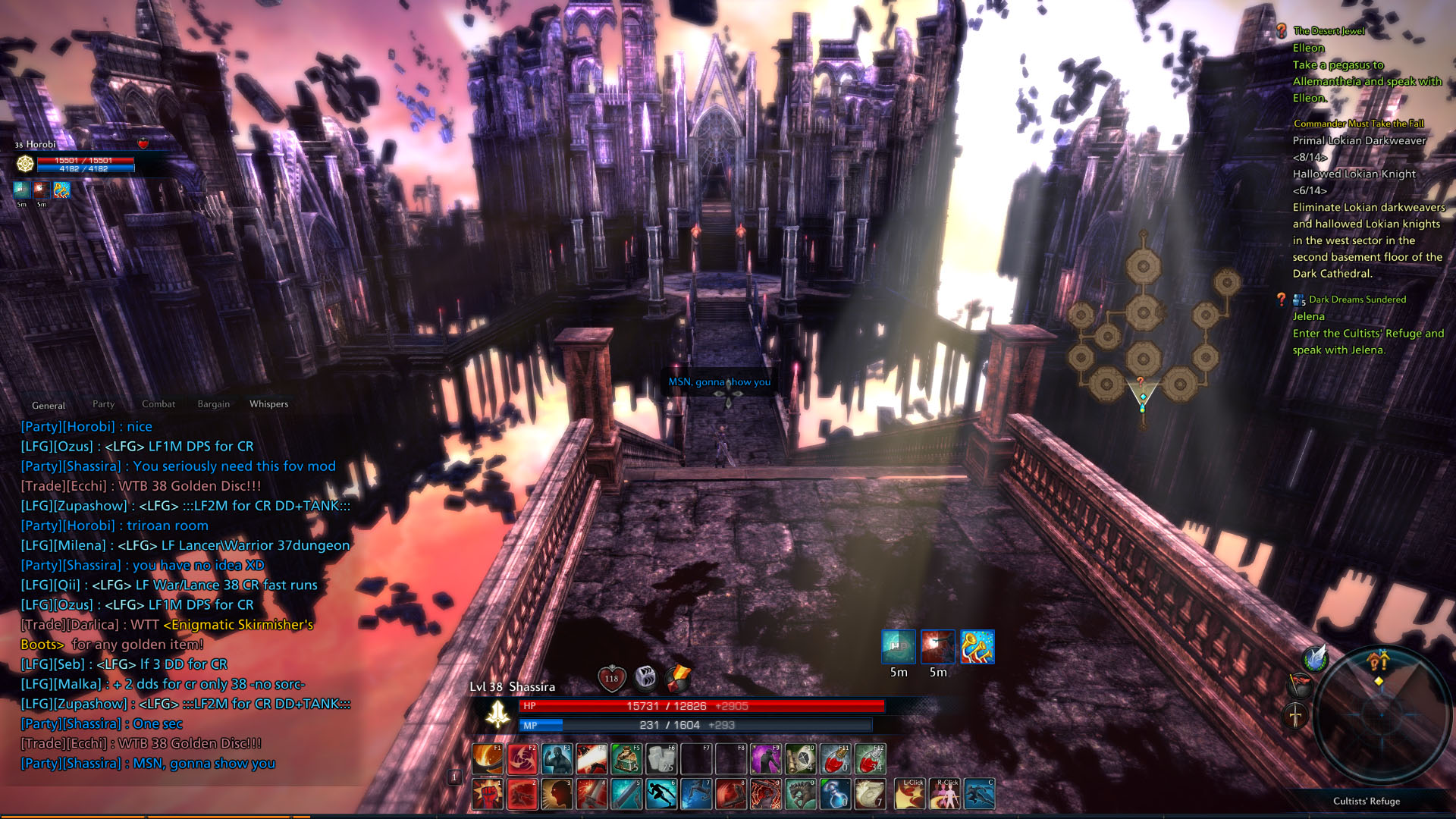
The goat invasion was freaking awesome.. and I say that being the one that got zerged by like 20+ goats on the first wave. I was just in the wrong spot at the wrong time. I saw 20+ red health bars pop up and I was like.. "Huh.. what's that going to be?" and then they all loaded and I'm yelling on vent "OH SHIT OH SHIT GOOOOAAAATS! I'm being chased by like 20 goats!!" as I'm running for my life from this mass zerg of goats. Wish I could have screenshotted it, but had I even tried to hit the button I would have died from the tiny spike of lag from it.
Anywho, only two screenshots.
Spoiler: show
Edit
Indy and I duo'd CR. Was fun.
Spoiler: show



Similar Threads
-
TERA Online - General Information and Discussion (May 1, 2012)
By Foxer in forum MMORPGsReplies: 4129Last Post: 2022-06-16, 19:49 -
Tera: Online Random Question Thread
By Rulke in forum MMORPGsReplies: 2690Last Post: 2013-06-13, 07:34 -
Tera: Special Medias/Tools Compilation
By Senji in forum MMORPGsReplies: 18Last Post: 2013-04-01, 08:55 -
EU TERA Online – May 3, 2012
By Naito in forum MMORPGsReplies: 310Last Post: 2012-06-03, 15:33 -
TERA online - Dungeon Guides
By Tisi in forum MMORPGsReplies: 8Last Post: 2012-05-15, 12:51 -
TERA Online - The official forums/TERAfans
By Foxer in forum MMORPGsReplies: 92Last Post: 2011-09-23, 00:53