XI Wiki

So, this is irritating me to no end and I can't seem to figure out how to fix it.
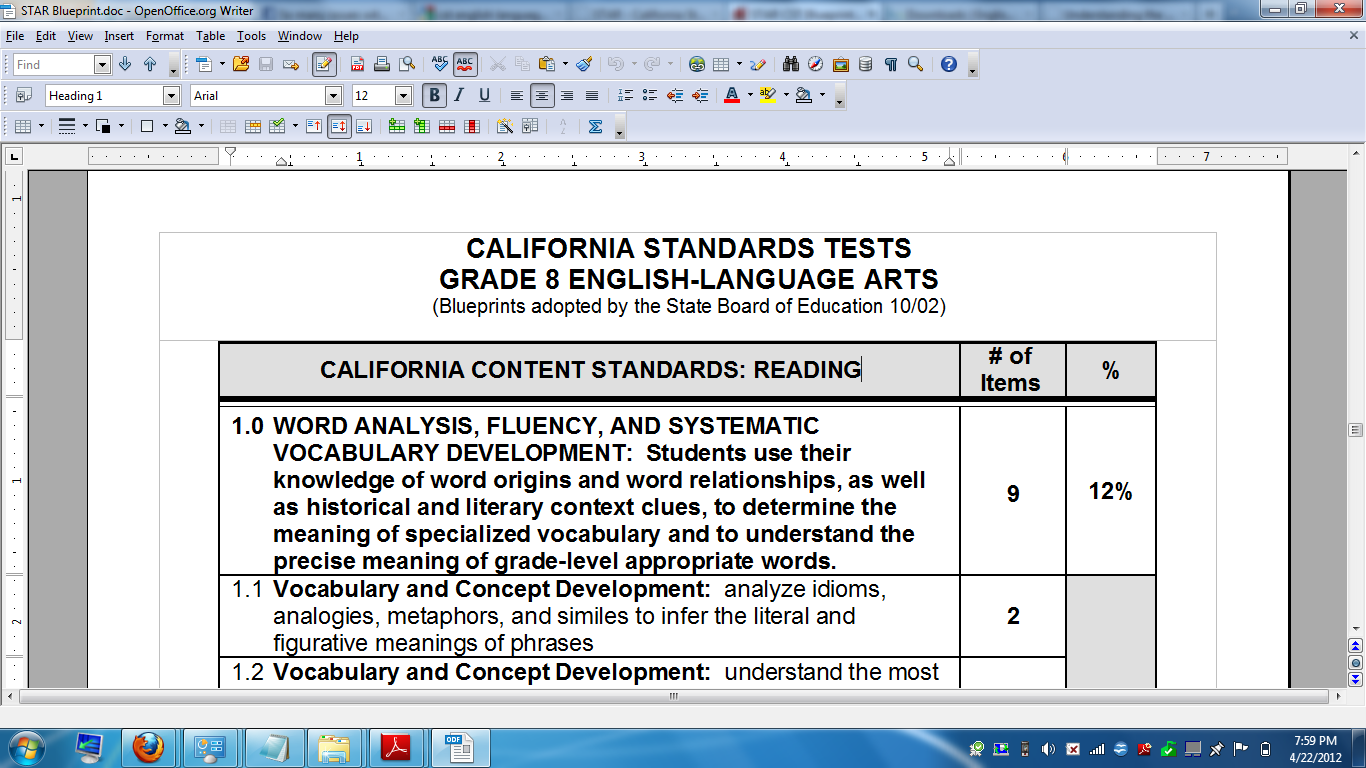
Ok, so normally when you have a text document loaded, on the bottom left corner of the open office program it will tell you what page you are on (ex. 3/7). Somehow about two weeks ago mine stopped doing it, but instead has this bottom scrolling bar even though there's no where for it to scroll. See image: (spoilered for size)
Spoiler: show
So I can't seem to get rid of the bar, and I can't seem to get the page number count back. This includes new documents or uploading old ones. What's frustrating is when I try to look up the solution all I get is tutorials on how to put page numbers on my document, which isn't the issue.
I've tried zooming in and out, opening up and closing all kinds of toolbars, but fuck if I can't figure out wtf happened. It really isn't that huge of a deal, but it's starting to irritate me because I have some documents that I need to print specific pages of and the number the docs have aren't always the real page numbers (I had one that listed a page as pg. 23 but it was really pg. 12). I have a feeling this is a really obvious answer.Me and technology don't mix very well. ;_;
Thanks in advance!
- Navigation
Results 1 to 5 of 5
Thread: HALP I fail at Open Office


-
2012-04-22 22:11 #1You wouldn't know that though because you've demonstrably never picked up a book nor educated yourself on the matter. Let me guess, overweight housewife?

- Join Date
- Mar 2006
- Posts
- 22,829
- BG Level
- 10
- FFXIV Character
- Allyra Arianos
- FFXIV Server
- Sargatanas
- WoW Realm
- Windrunner

HALP I fail at Open Office
-
2012-04-22 22:50 #2True skill only comes from macro switching all your e-peen gear thru 10 pages
- Join Date
- Sep 2007
- Posts
- 4,740
- BG Level
- 7
- FFXI Server
- Quetzalcoatl

Get LibreOffice instead >_>
-
2012-04-22 22:58 #3Falcom is better than SE. Change my mind.
- Join Date
- Jun 2006
- Posts
- 17,291
- BG Level
- 9
View > Status Bar
-
2012-04-22 23:00 #4You wouldn't know that though because you've demonstrably never picked up a book nor educated yourself on the matter. Let me guess, overweight housewife?
- Join Date
- Mar 2006
- Posts
- 22,829
- BG Level
- 10
- FFXIV Character
- Allyra Arianos
- FFXIV Server
- Sargatanas
- WoW Realm
- Windrunner
how the fuck...I swear I opened everything....I love you. ;_; I knew this was going to be something stupid. hahaha -.-; Originally Posted by Corrderio

-
2012-04-23 06:53 #5Falcom is better than SE. Change my mind.
- Join Date
- Jun 2006
- Posts
- 17,291
- BG Level
- 9
I got bored and tinkered with View options xD
Though yeah, OpenOffice is starting to piss me off to. Spell check only works on half my documents now.