1. FFXIV Reset Timers
    Last daily reset was 15 hours, 42 minutes ago / Next daily reset is in 8 hours, 17 minutes
    Last weekly reset was 3 days, 8 hours, 42 minutes ago / Next weekly reset is in 3 days, 1 hours, 17 minutes
Page 12 of 65 FirstFirst ... 2 10 11 12 13 14 22 62 ... LastLast
Results 221 to 240 of 1287
  1. #221
    Impossiblu
    Join Date
    Mar 2010
    Posts
    10,445
    BG Level
    9
    FFXIV Character
    Prothescar Centursa
    FFXIV Server
    Balmung
    FFXI Server
    Valefor


    Spoiler: show

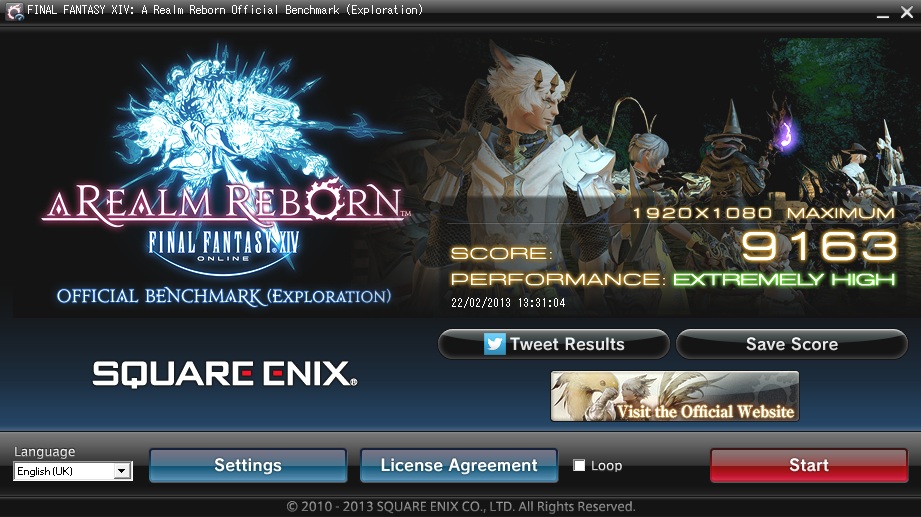
    FINAL FANTASY XIV: A Realm Reborn Official Benchmark (Exploration)
    Tested on:2/22/2013 3:46:52 AM
    Score:8151
    Average Framerate:70.041
    Performance:Extremely High
    -Easily capable of running the game on the highest settings.

    Screen Size: 1920x1080
    Graphics Presets: Maximum
    General
    -Improve overall graphic quality. : Enabled
    -Disable rendering of objects when not visible. (Occlusion Culling) : Disabled
    -Use low-detail models on distant objects to increase performance. (LOD) : Disabled
    -Cache LOD data only when necessary. (LOD Streaming) : Disabled
    -Smooth edges. (Anti-aliasing) : Enabled
    -Increase transparent lighting quality. : Enabled
    -Grass Quality : High
    Shadows
    -Use low-detail models on shadows to increase performance. (LOD) : Disabled
    -Display : All
    -Shadow Resolution : High: 2048 pixels
    -Shadow Cascading : High
    -Shadow Softening : High
    Texture Detail
    -Texture Filtering : High
    -Anisotropic Filtering : High
    Effects
    -Naturally darken the edges of the screen. (Limb Darkening) : Enabled
    -Blur the graphics around an object in motion. (Radial Blur) : Enabled
    -Effects While in Motion : Display All
    -Screen Space Ambient Occlusion : High
    -Glare : Normal
    Cinematic Cutscenes
    -Enable depth of field. : Enabled

    System:
    Windows 7 Home Premium 64-bit (6.1, Build 7601) Service Pack 1 (7601.win7sp1_gdr.130104-1431)
    Intel(R) Core(TM) i5-2500K CPU @ 3.30GHz
    8152.031MB
    NVIDIA GeForce GTX 670(VRAM 4042 MB) 9.18.0013.1407

    Benchmark results do not provide any guarantee FINAL FANTASY XIV: A Realm Reborn will run on your system.

    FINAL FANTASY XIV: A Realm Reborn Official Website http://na.finalfantasyxiv.com
    (C) 2010-2013 SQUARE ENIX CO., LTD. All Rights Reserved.

    Tweet
    http://sqex.to/ffxiv_bench_na #FFXIV Score:8151 1920x1080 Maximum Intel(R) Core(TM) i5-2500K CPU @ 3.30GHz NVIDIA GeForce GTX 670


    Looks like this is about my maximum until they implement SLI support. Can probably squeeze a very small bit out of my primary GPU yet, but I've not got the patience to find out. CPU must be holding me back a bit, can't say I can be bothered to spend the money on an upgrade tho since there's nothing wrong with a 2500k yet.

  2. #222
    Pandemonium
    Join Date
    Jul 2008
    Posts
    4,875
    BG Level
    7
    FFXI Server
    Bismarck

    Although I don't intend to play, I thought that I'd run the benchmark on my work computer for fun—and so I may compare it to my results at home, naturally.

    Spoiler: show
    This is with not-quite-maximum settings, and a lower resolution—what I'd play at if I were actually running the game, essentially:


    Spoiler: show
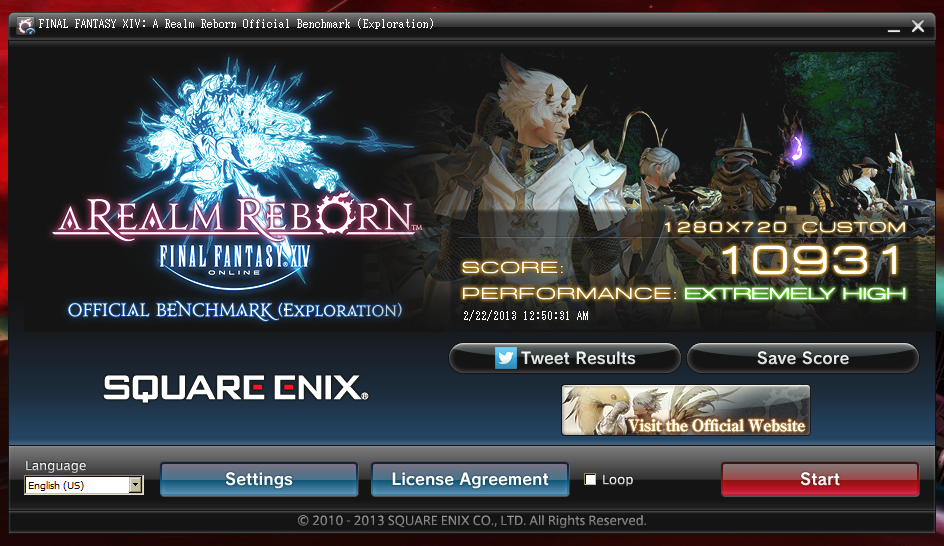
    FINAL FANTASY XIV: A Realm Reborn Official Benchmark (Exploration)
    Tested on:2/22/2013 12:50:31 AM
    Score:10931
    Average Framerate:96.037
    Performance:Extremely High
    -Easily capable of running the game on the highest settings.

    Screen Size: 1280x720
    Graphics Presets: Custom
    General
    -Improve overall graphic quality. : Enabled
    -Disable rendering of objects when not visible. (Occlusion Culling) : Enabled
    -Use low-detail models on distant objects to increase performance. (LOD) : Enabled
    -Cache LOD data only when necessary. (LOD Streaming) : Enabled
    -Smooth edges. (Anti-aliasing) : Enabled
    -Increase transparent lighting quality. : Enabled
    -Grass Quality : High
    Shadows
    -Use low-detail models on shadows to increase performance. (LOD) : Enabled
    -Display : Personal and Environmental
    -Shadow Resolution : Mid: 1024 pixels
    -Shadow Cascading : High
    -Shadow Softening : High
    Texture Detail
    -Texture Filtering : High
    -Anisotropic Filtering : High
    Effects
    -Naturally darken the edges of the screen. (Limb Darkening) : Enabled
    -Blur the graphics around an object in motion. (Radial Blur) : Enabled
    -Effects While in Motion : Display All
    -Screen Space Ambient Occlusion : High
    -Glare : Normal
    Cinematic Cutscenes
    -Enable depth of field. : Enabled

    System:
    Microsoft Windows XP Professional (5.1, Build 2600) Service Pack 3 (2600.xpsp_sp3_gdr.120821-1629)
    Intel(R) Core(TM) i7 CPU 975 @ 3.33GHz
    3062.043MB
    NVIDIA GeForce GTX 480(VRAM 1536.0 MB) 6.14.0013.0142

    Benchmark results do not provide any guarantee FINAL FANTASY XIV: A Realm Reborn will run on your system.

    FINAL FANTASY XIV: A Realm Reborn Official Website http://na.finalfantasyxiv.com
    (C) 2010-2013 SQUARE ENIX CO., LTD. All Rights Reserved.

    Tweet
    http://sqex.to/ffxiv_bench_na #FFXIV Score:10931 1280x720 Custom Intel(R) Core(TM) i7 CPU 975 @ 3.33GHz NVIDIA GeForce GTX 480


    And these are the results from the maxed-out test:


    Spoiler: show
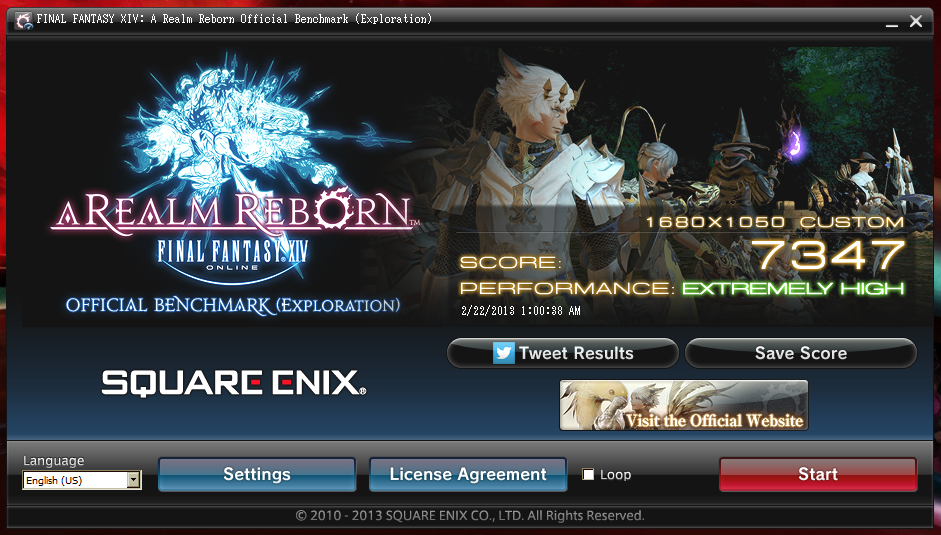
    FINAL FANTASY XIV: A Realm Reborn Official Benchmark (Exploration)
    Tested on:2/22/2013 1:00:38 AM
    Score:7347
    Average Framerate:60.070
    Performance:Extremely High
    -Easily capable of running the game on the highest settings.

    Screen Size: 1680x1050
    Graphics Presets: Custom
    General
    -Improve overall graphic quality. : Enabled
    -Disable rendering of objects when not visible. (Occlusion Culling) : Enabled
    -Use low-detail models on distant objects to increase performance. (LOD) : Enabled
    -Cache LOD data only when necessary. (LOD Streaming) : Enabled
    -Smooth edges. (Anti-aliasing) : Enabled
    -Increase transparent lighting quality. : Enabled
    -Grass Quality : High
    Shadows
    -Use low-detail models on shadows to increase performance. (LOD) : Enabled
    -Display : All
    -Shadow Resolution : High: 2048 pixels
    -Shadow Cascading : High
    -Shadow Softening : High
    Texture Detail
    -Texture Filtering : High
    -Anisotropic Filtering : High
    Effects
    -Naturally darken the edges of the screen. (Limb Darkening) : Enabled
    -Blur the graphics around an object in motion. (Radial Blur) : Enabled
    -Effects While in Motion : Display All
    -Screen Space Ambient Occlusion : High
    -Glare : Normal
    Cinematic Cutscenes
    -Enable depth of field. : Enabled

    System:
    Microsoft Windows XP Professional (5.1, Build 2600) Service Pack 3 (2600.xpsp_sp3_gdr.120821-1629)
    Intel(R) Core(TM) i7 CPU 975 @ 3.33GHz
    3062.043MB
    NVIDIA GeForce GTX 480(VRAM 1536.0 MB) 6.14.0013.0142

    Benchmark results do not provide any guarantee FINAL FANTASY XIV: A Realm Reborn will run on your system.

    FINAL FANTASY XIV: A Realm Reborn Official Website http://na.finalfantasyxiv.com
    (C) 2010-2013 SQUARE ENIX CO., LTD. All Rights Reserved.

    Tweet
    http://sqex.to/ffxiv_bench_na #FFXIV Score:7347 1680x1050 Custom Intel(R) Core(TM) i7 CPU 975 @ 3.33GHz NVIDIA GeForce GTX 480


    I may do this again in Windows 7, but for now, XP it is.

  3. #223
    Nidhogg
    Join Date
    Feb 2006
    Posts
    3,901
    BG Level
    7
    FFXI Server
    Carbuncle

    5377

    Spoiler: show

    FINAL FANTASY XIV: A Realm Reborn Official Benchmark (Exploration)
    Tested on:2/22/2013 1:16:08 AM
    Score:5377
    Average Framerate:42.836
    Performance:Very High
    -Easily capable of running the game. Should perform exceptionally well, even at higher resolutions.

    Screen Size: 1280x720
    Graphics Presets: Medium
    General
    -Improve overall graphic quality. : Disabled
    -Disable rendering of objects when not visible. (Occlusion Culling) : Enabled
    -Use low-detail models on distant objects to increase performance. (LOD) : Enabled
    -Cache LOD data only when necessary. (LOD Streaming) : Enabled
    -Smooth edges. (Anti-aliasing) : Disabled
    -Increase transparent lighting quality. : Disabled
    -Grass Quality : Low
    Shadows
    -Use low-detail models on shadows to increase performance. (LOD) : Enabled
    -Display : Personal and Environmental
    -Shadow Resolution : Mid: 1024 pixels
    -Shadow Cascading : Normal
    -Shadow Softening : Low
    Texture Detail
    -Texture Filtering : Medium
    -Anisotropic Filtering : Low
    Effects
    -Naturally darken the edges of the screen. (Limb Darkening) : Disabled
    -Blur the graphics around an object in motion. (Radial Blur) : Enabled
    -Effects While in Motion : Display Own
    -Screen Space Ambient Occlusion : Off
    -Glare : Low
    Cinematic Cutscenes
    -Enable depth of field. : Disabled

    System:
    Windows 7 Home Premium 64-bit (6.1, Build 7601) Service Pack 1 (7601.win7sp1_gdr.120830-0333)
    Intel(R) Core(TM) i7-2670QM CPU @ 2.20GHz
    8139.859MB
    Intel(R) HD Graphics Family(VRAM 786 MB) 8.15.0010.2476


    I'm happy with that for my laptop. If my PC doesn't beat that it's time for a new computer!

  4. #224
    Hydra
    Join Date
    Jan 2005
    Posts
    127
    BG Level
    3
    FFXI Server
    Leviathan
    WoW Realm
    Uldum

    Spoiler: show
    http://iforce.co.nz/i/j3ks5qlv.4m1.png

    FINAL FANTASY XIV: A Realm Reborn Official Benchmark (Exploration)
    Tested on:22/02/2013 22:15:24
    Score:5228
    Average Framerate:42.687
    Performance:Very High
    -Easily capable of running the game. Should perform exceptionally well, even at higher resolutions.

    Screen Size: 1920x1080
    Graphics Presets: Maximum
    General
    -Improve overall graphic quality. : Enabled
    -Disable rendering of objects when not visible. (Occlusion Culling) : Disabled
    -Use low-detail models on distant objects to increase performance. (LOD) : Disabled
    -Cache LOD data only when necessary. (LOD Streaming) : Disabled
    -Smooth edges. (Anti-aliasing) : Enabled
    -Increase transparent lighting quality. : Enabled
    -Grass Quality : High
    Shadows
    -Use low-detail models on shadows to increase performance. (LOD) : Disabled
    -Display : All
    -Shadow Resolution : High: 2048 pixels
    -Shadow Cascading : High
    -Shadow Softening : High
    Texture Detail
    -Texture Filtering : High
    -Anisotropic Filtering : High
    Effects
    -Naturally darken the edges of the screen. (Limb Darkening) : Enabled
    -Blur the graphics around an object in motion. (Radial Blur) : Enabled
    -Effects While in Motion : Display All
    -Screen Space Ambient Occlusion : High
    -Glare : Normal
    Cinematic Cutscenes
    -Enable depth of field. : Enabled

    System:
    Windows 7 Home Premium 64-bit (6.1, Build 7601) Service Pack 1 (7601.win7sp1_gdr.120830-0333)
    Intel(R) Core(TM) i7-2600K CPU @ 3.40GHz
    8109.063MB
    NVIDIA GeForce GTX 560 Ti (VRAM 4050 MB) 9.18.0013.1407

    Benchmark results do not provide any guarantee FINAL FANTASY XIV: A Realm Reborn will run on your system.

    FINAL FANTASY XIV: A Realm Reborn Official Website http://eu.finalfantasyxiv.com/?lang=uk
    (C) 2010-2013 SQUARE ENIX CO., LTD. All Rights Reserved.

    Tweet
    http://sqex.to/ffxiv_bench_eu #FFXIV Score:5228 1920x1080 Maximum Intel(R) Core(TM) i7-2600K CPU @ 3.40GHz NVIDIA GeForce GTX 560 Ti

  5. #225
    Hydra
    Join Date
    Jan 2005
    Posts
    127
    BG Level
    3
    FFXI Server
    Leviathan
    WoW Realm
    Uldum

    Quote Originally Posted by Tyche View Post
    I buried my PC in the snow and OC'd the videocard more. I'm determined to hit an 8,000 benchmark on this tiny little 660Ti. It's a resilient little bastard, not bad for a $250 card. Over 7800 now.


    The snow? looks like you fired that thing into space!

  6. #226
    Puppetmaster
    Join Date
    Jul 2006
    Posts
    67
    BG Level
    2
    FFXI Server
    Valefor

    Run#1 Maximum


    FINAL FANTASY XIV: A Realm Reborn Official Benchmark (Exploration)
    Tested on:2/22/2013 5:48:21 AM
    Score:6419
    Average Framerate:57.385
    Performance:Very High
    -Easily capable of running the game. Should perform exceptionally well, even at higher resolutions.

    Screen Size: 1920x1080
    Graphics Presets: Maximum
    General
    -Improve overall graphic quality. : Enabled
    -Disable rendering of objects when not visible. (Occlusion Culling) : Disabled
    -Use low-detail models on distant objects to increase performance. (LOD) : Disabled
    -Cache LOD data only when necessary. (LOD Streaming) : Disabled
    -Smooth edges. (Anti-aliasing) : Enabled
    -Increase transparent lighting quality. : Enabled
    -Grass Quality : High
    Shadows
    -Use low-detail models on shadows to increase performance. (LOD) : Disabled
    -Display : All
    -Shadow Resolution : High: 2048 pixels
    -Shadow Cascading : High
    -Shadow Softening : High
    Texture Detail
    -Texture Filtering : High
    -Anisotropic Filtering : High
    Effects
    -Naturally darken the edges of the screen. (Limb Darkening) : Enabled
    -Blur the graphics around an object in motion. (Radial Blur) : Enabled
    -Effects While in Motion : Display All
    -Screen Space Ambient Occlusion : High
    -Glare : Normal
    Cinematic Cutscenes
    -Enable depth of field. : Enabled

    System:
    Windows 7 Ultimate 64-bit (6.1, Build 7601) Service Pack 1 (7601.win7sp1_gdr.130104-1431)
    AMD FX(tm)-8350 Eight-Core Processor
    16284.195MB
    NVIDIA GeForce GTX 670(VRAM 4042 MB) 9.18.0013.1407


    Benchmark results do not provide any guarantee FINAL FANTASY XIV: A Realm Reborn will run on your system.

    FINAL FANTASY XIV: A Realm Reborn Official Website http://na.finalfantasyxiv.com
    (C) 2010-2013 SQUARE ENIX CO., LTD. All Rights Reserved.

    Tweet
    http://sqex.to/ffxiv_bench_na #FFXIV Score:6419 1920x1080 Maximum AMD FX(tm)-8350 Eight-Core Processor NVIDIA GeForce GTX 670

    __________________________________________________ ___________________

    Run #2 High Rez


    FINAL FANTASY XIV: A Realm Reborn Official Benchmark (Exploration)
    Tested on:2/22/2013 6:03:22 AM
    Score:8325
    Average Framerate:73.875
    Performance:Extremely High
    -Easily capable of running the game on the highest settings.

    Screen Size: 1920x1080
    Graphics Presets: High
    General
    -Improve overall graphic quality. : Enabled
    -Disable rendering of objects when not visible. (Occlusion Culling) : Enabled
    -Use low-detail models on distant objects to increase performance. (LOD) : Enabled
    -Cache LOD data only when necessary. (LOD Streaming) : Enabled
    -Smooth edges. (Anti-aliasing) : Enabled
    -Increase transparent lighting quality. : Disabled
    -Grass Quality : Normal
    Shadows
    -Use low-detail models on shadows to increase performance. (LOD) : Enabled
    -Display : All
    -Shadow Resolution : Mid: 1024 pixels
    -Shadow Cascading : High
    -Shadow Softening : Low
    Texture Detail
    -Texture Filtering : High
    -Anisotropic Filtering : Low
    Effects
    -Naturally darken the edges of the screen. (Limb Darkening) : Enabled
    -Blur the graphics around an object in motion. (Radial Blur) : Enabled
    -Effects While in Motion : Display All
    -Screen Space Ambient Occlusion : Low
    -Glare : Low
    Cinematic Cutscenes
    -Enable depth of field. : Enabled

    System:
    Windows 7 Ultimate 64-bit (6.1, Build 7601) Service Pack 1 (7601.win7sp1_gdr.130104-1431)
    AMD FX(tm)-8350 Eight-Core Processor
    16284.195MB
    NVIDIA GeForce GTX 670(VRAM 4042 MB) 9.18.0013.1407


    Benchmark results do not provide any guarantee FINAL FANTASY XIV: A Realm Reborn will run on your system.

    FINAL FANTASY XIV: A Realm Reborn Official Website http://na.finalfantasyxiv.com
    (C) 2010-2013 SQUARE ENIX CO., LTD. All Rights Reserved.

    Tweet
    http://sqex.to/ffxiv_bench_na #FFXIV Score:8325 1920x1080 High AMD FX(tm)-8350 Eight-Core Processor NVIDIA GeForce GTX 670


    Woot go go AMD!!! Up there with all the I7s for a fraction of the price!!!!!!

  7. #227
    Puppetmaster
    Join Date
    Jun 2007
    Posts
    51
    BG Level
    2

    Intel Core i7 3610QM no OC
    Nvidia Geforce GTX 660M
    12 GB Ram

    FINAL FANTASY XIV: A Realm Reborn Official Benchmark (Exploration)
    Tested on:2/22/2013 8:21:54 AM
    Score:3403
    Average Framerate:27.172
    Performance:Fairly High
    -Capable of running the game on default settings. Consider switching to a higher resolution depending on performance.

    Screen Size: 1920x1080
    Graphics Presets: Custom
    General
    -Improve overall graphic quality. : Enabled
    -Disable rendering of objects when not visible. (Occlusion Culling) : Enabled
    -Use low-detail models on distant objects to increase performance. (LOD) : Enabled
    -Cache LOD data only when necessary. (LOD Streaming) : Disabled
    -Smooth edges. (Anti-aliasing) : Enabled
    -Increase transparent lighting quality. : Disabled
    -Grass Quality : Normal
    Shadows
    -Use low-detail models on shadows to increase performance. (LOD) : Enabled
    -Display : All
    -Shadow Resolution : Mid: 1024 pixels
    -Shadow Cascading : High
    -Shadow Softening : Low
    Texture Detail
    -Texture Filtering : High
    -Anisotropic Filtering : Low
    Effects
    -Naturally darken the edges of the screen. (Limb Darkening) : Enabled
    -Blur the graphics around an object in motion. (Radial Blur) : Enabled
    -Effects While in Motion : Display All
    -Screen Space Ambient Occlusion : Low
    -Glare : Low
    Cinematic Cutscenes
    -Enable depth of field. : Enabled

    Playing on mi laptop, priceless!

  8. #228
    New Merits
    Join Date
    Jan 2010
    Posts
    227
    BG Level
    4
    FFXI Server
    Bismarck

    Quote Originally Posted by Celeras View Post
    Your move!


    Moving bench to SSD got me a little higher, then finally fluctuated up.

    [edit] And I just realized you have a 670 -.- CPU hax
    Yeah I will try to catch that 9k when I get home from work, I doubt I can catch u now buuuuut my video card only cost me 349 $ Canadian woohoo!

  9. #229
    F5 Like A Boss.
    Join Date
    Sep 2005
    Posts
    7,396
    BG Level
    8
    FFXIV Character
    Kuroki Kaze
    FFXIV Server
    Sargatanas
    FFXI Server
    Quetzalcoatl
    WoW Realm
    Twisting Nether

    Quote Originally Posted by popsiclestix View Post
    Should probably separate the scores on different sheets, based on resolutions.
    Yeah I'm going to start doing this.

  10. #230
    F5 Like A Boss.
    Join Date
    Sep 2005
    Posts
    7,396
    BG Level
    8
    FFXIV Character
    Kuroki Kaze
    FFXIV Server
    Sargatanas
    FFXI Server
    Quetzalcoatl
    WoW Realm
    Twisting Nether

    Okay. So I've gone ahead and fully sorted the scores. If you guys want, go ahead and post your scores on different resolutions (the sheets are at the bottom). Remember MAX settings onry.

    I want to see what happens on the lower end of the spectrum.

  11. #231
    Black Belt
    Join Date
    Nov 2006
    Posts
    5,703
    BG Level
    8
    FFXIV Character
    Adajer Vonte
    FFXIV Server
    Gilgamesh
    FFXI Server
    Asura
    WoW Realm
    Tichondrius

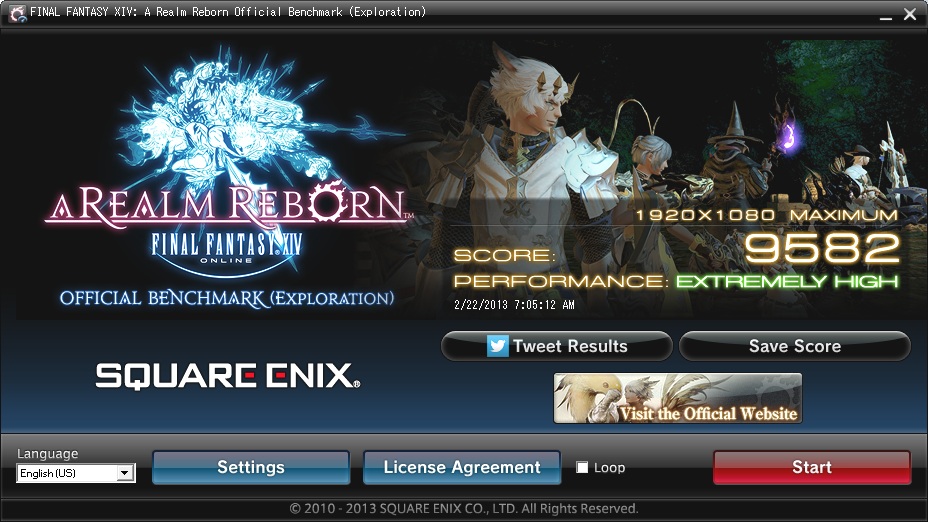
    Installed Benchmark to SSD and went from 7498 to 9582 with fresh restart.

    Spoiler: show
    FINAL FANTASY XIV: A Realm Reborn Official Benchmark (Exploration)
    Tested on:2/22/2013 7:05:12 AM
    Score:9582
    Average Framerate:100.393
    Performance:Extremely High
    -Easily capable of running the game on the highest settings.

    Screen Size: 1920x1080
    Graphics Presets: Maximum
    General
    -Improve overall graphic quality. : Enabled
    -Disable rendering of objects when not visible. (Occlusion Culling) : Disabled
    -Use low-detail models on distant objects to increase performance. (LOD) : Disabled
    -Cache LOD data only when necessary. (LOD Streaming) : Disabled
    -Smooth edges. (Anti-aliasing) : Enabled
    -Increase transparent lighting quality. : Enabled
    -Grass Quality : High
    Shadows
    -Use low-detail models on shadows to increase performance. (LOD) : Disabled
    -Display : All
    -Shadow Resolution : High: 2048 pixels
    -Shadow Cascading : High
    -Shadow Softening : High
    Texture Detail
    -Texture Filtering : High
    -Anisotropic Filtering : High
    Effects
    -Naturally darken the edges of the screen. (Limb Darkening) : Enabled
    -Blur the graphics around an object in motion. (Radial Blur) : Enabled
    -Effects While in Motion : Display All
    -Screen Space Ambient Occlusion : High
    -Glare : Normal
    Cinematic Cutscenes
    -Enable depth of field. : Enabled

    System:
    Windows 7 Home Premium 64-bit (6.1, Build 7601) Service Pack 1 (7601.win7sp1_gdr.130104-1431)
    Intel(R) Core(TM) i7-3770K CPU @ 3.50GHz
    8079.547MB
    NVIDIA GeForce GTX 670(VRAM 4042 MB) 9.18.0013.1407

    Benchmark results do not provide any guarantee FINAL FANTASY XIV: A Realm Reborn will run on your system.

    FINAL FANTASY XIV: A Realm Reborn Official Website http://na.finalfantasyxiv.com
    (C) 2010-2013 SQUARE ENIX CO., LTD. All Rights Reserved.

    Tweet
    http://sqex.to/ffxiv_bench_na #FFXIV Score:9582 1920x1080 Maximum Intel(R) Core(TM) i7-3770K CPU @ 3.50GHz NVIDIA GeForce GTX 670

  12. #232
    WASTE OF CURRENCY
    I CAN'T I CAN'T I CAN'T

    Join Date
    Feb 2006
    Posts
    9,065
    BG Level
    8
    FFXIV Character
    Izzy Izumi
    FFXIV Server
    Sargatanas
    FFXI Server
    Phoenix
    WoW Realm
    Arthas

    Anyone else notice that FFXIV.cfg was created in the root C:\ directory? lol

  13. #233
    FOR FUCKS' SAKE !!!
    FOR FUCKS' SAKE !!!
    FUCK FUCK FUCK

    Join Date
    Mar 2010
    Posts
    14,680
    BG Level
    9


    Spoiler: show

    FINAL FANTASY XIV: A Realm Reborn Official Benchmark (Exploration)
    Tested on:2/21/2013 10:27:24 PM
    Score:7896
    Average Framerate:65.943
    Performance:Extremely High
    -Easily capable of running the game on the highest settings.

    Screen Size: 1920x1200
    Graphics Presets: Maximum
    General
    -Improve overall graphic quality. : Enabled
    -Disable rendering of objects when not visible. (Occlusion Culling) : Disabled
    -Use low-detail models on distant objects to increase performance. (LOD) : Disabled
    -Cache LOD data only when necessary. (LOD Streaming) : Disabled
    -Smooth edges. (Anti-aliasing) : Enabled
    -Increase transparent lighting quality. : Enabled
    -Grass Quality : High
    Shadows
    -Use low-detail models on shadows to increase performance. (LOD) : Disabled
    -Display : All
    -Shadow Resolution : High: 2048 pixels
    -Shadow Cascading : High
    -Shadow Softening : High
    Texture Detail
    -Texture Filtering : High
    -Anisotropic Filtering : High
    Effects
    -Naturally darken the edges of the screen. (Limb Darkening) : Enabled
    -Blur the graphics around an object in motion. (Radial Blur) : Enabled
    -Effects While in Motion : Display All
    -Screen Space Ambient Occlusion : High
    -Glare : Normal
    Cinematic Cutscenes
    -Enable depth of field. : Enabled

    System:
    Windows 7 Ultimate 64-bit (6.1, Build 7601) Service Pack 1 (7601.win7sp1_gdr.130104-1431)
    Intel(R) Core(TM) i7-3930K CPU @ 3.20GHz
    16359.023MB
    AMD Radeon HD 7900 Series(VRAM 2776 MB) 8.17.0010.1172

    Benchmark results do not provide any guarantee FINAL FANTASY XIV: A Realm Reborn will run on your system.

    FINAL FANTASY XIV: A Realm Reborn Official Website http://na.finalfantasyxiv.com
    (C) 2010-2013 SQUARE ENIX CO., LTD. All Rights Reserved.

    Tweet
    http://sqex.to/ffxiv_bench_na #FFXIV Score:7896 1920x1200 Maximum Intel(R) Core(TM) i7-3930K CPU @ 3.20GHz AMD Radeon HD 7900 Series


    With my stable overclock. Good enough.

  14. #234
    Fake Numbers
    Join Date
    Aug 2010
    Posts
    76
    BG Level
    2
    FFXI Server
    Asura

    Here's mine.


    FINAL FANTASY XIV: A Realm Reborn Official Benchmark (Exploration)
    Tested on:2/21/2013 2:36:49 PM
    Score:7589
    Average Framerate:64.497
    Performance:Extremely High
    -Easily capable of running the game on the highest settings.

    Screen Size: 1920x1200
    Graphics Presets: Maximum
    General
    -Improve overall graphic quality. : Enabled
    -Disable rendering of objects when not visible. (Occlusion Culling) : Disabled
    -Use low-detail models on distant objects to increase performance. (LOD) : Disabled
    -Cache LOD data only when necessary. (LOD Streaming) : Disabled
    -Smooth edges. (Anti-aliasing) : Enabled
    -Increase transparent lighting quality. : Enabled
    -Grass Quality : High
    Shadows
    -Use low-detail models on shadows to increase performance. (LOD) : Disabled
    -Display : All
    -Shadow Resolution : High: 2048 pixels
    -Shadow Cascading : High
    -Shadow Softening : High
    Texture Detail
    -Texture Filtering : High
    -Anisotropic Filtering : High
    Effects
    -Naturally darken the edges of the screen. (Limb Darkening) : Enabled
    -Blur the graphics around an object in motion. (Radial Blur) : Enabled
    -Effects While in Motion : Display All
    -Screen Space Ambient Occlusion : High
    -Glare : Normal
    Cinematic Cutscenes
    -Enable depth of field. : Enabled

    System:
    Windows 7 Ultimate 64-bit (6.1, Build 7601) Service Pack 1 (7601.win7sp1_gdr.130104-1431)
    Intel(R) Core(TM) i7-3770K CPU @ 3.50GHz
    16337.410MB
    NVIDIA GeForce GTX 680(VRAM 4042 MB) 9.18.0013.1407

    Benchmark results do not provide any guarantee FINAL FANTASY XIV: A Realm Reborn will run on your system.

    FINAL FANTASY XIV: A Realm Reborn Official Website http://na.finalfantasyxiv.com
    (C) 2010-2013 SQUARE ENIX CO., LTD. All Rights Reserved.

    Tweet
    http://sqex.to/ffxiv_bench_na #FFXIV Score:7589 1920x1200 Maximum Intel(R) Core(TM) i7-3770K CPU @ 3.50GHz NVIDIA GeForce GTX 680

  15. #235
    SPOONY BeARD
    Join Date
    Jun 2006
    Posts
    291
    BG Level
    4
    FFXIV Character
    Dakin Reyes
    FFXIV Server
    Hyperion

    I updated my Drivers for my GTX 480 and went from 800 to 830 clock, bumped my Phenom ii x6 1055t from 3.2to 3.5, and score went from around 5600 down to around 5100. Max settings. Any ideas?

  16. #236
    Black Belt
    Join Date
    Nov 2006
    Posts
    5,703
    BG Level
    8
    FFXIV Character
    Adajer Vonte
    FFXIV Server
    Gilgamesh
    FFXI Server
    Asura
    WoW Realm
    Tichondrius

    Really wish i put the gif of vegeta smashing his scouter in there before i went to work.

  17. #237
    Melee Summoner
    Join Date
    Nov 2006
    Posts
    44
    BG Level
    1
    FFXI Server
    Gilgamesh

    Off SSD. Is this supposed to run windowed?

    Spoiler: show
    FINAL FANTASY XIV: A Realm Reborn Official Benchmark (Exploration)
    Tested on:2/22/2013 7:09:32 AM
    Score:8118
    Average Framerate:72.842
    Performance:Extremely High
    -Easily capable of running the game on the highest settings.

    Screen Size: 1680x1050
    Graphics Presets: Maximum
    General
    -Improve overall graphic quality. : Enabled
    -Disable rendering of objects when not visible. (Occlusion Culling) : Disabled
    -Use low-detail models on distant objects to increase performance. (LOD) : Disabled
    -Cache LOD data only when necessary. (LOD Streaming) : Disabled
    -Smooth edges. (Anti-aliasing) : Enabled
    -Increase transparent lighting quality. : Enabled
    -Grass Quality : High
    Shadows
    -Use low-detail models on shadows to increase performance. (LOD) : Disabled
    -Display : All
    -Shadow Resolution : High: 2048 pixels
    -Shadow Cascading : High
    -Shadow Softening : High
    Texture Detail
    -Texture Filtering : High
    -Anisotropic Filtering : High
    Effects
    -Naturally darken the edges of the screen. (Limb Darkening) : Enabled
    -Blur the graphics around an object in motion. (Radial Blur) : Enabled
    -Effects While in Motion : Display All
    -Screen Space Ambient Occlusion : High
    -Glare : Normal
    Cinematic Cutscenes
    -Enable depth of field. : Enabled

    System:
    Windows 8 Pro with Media Center 64-bit (6.2, Build 9200) (9200.win8_gdr.130108-1504)
    Intel(R) Core(TM) i7-3930K CPU @ 3.20GHz
    16337.684MB
    NVIDIA GeForce GTX 680(VRAM 4042 MB) 9.18.0013.1407

    Benchmark results do not provide any guarantee FINAL FANTASY XIV: A Realm Reborn will run on your system.

    FINAL FANTASY XIV: A Realm Reborn Official Website http://na.finalfantasyxiv.com
    (C) 2010-2013 SQUARE ENIX CO., LTD. All Rights Reserved.

    Tweet
    http://sqex.to/ffxiv_bench_na #FFXIV Score:8118 1680x1050 Maximum Intel(R) Core(TM) i7-3930K CPU @ 3.20GHz NVIDIA GeForce GTX 680

  18. #238
    It's sooo veiny
    Sweaty Dick Punching Enthusiast

    Join Date
    Oct 2008
    Posts
    2,327
    BG Level
    7
    FFXIV Character
    Arch Dizzle
    FFXIV Server
    Excalibur

    Quote Originally Posted by Shinso View Post
    Off SSD. Is this supposed to run windowed?

    Spoiler: show
    FINAL FANTASY XIV: A Realm Reborn Official Benchmark (Exploration)
    Tested on:2/22/2013 7:09:32 AM
    Score:8118
    Average Framerate:72.842
    Performance:Extremely High
    -Easily capable of running the game on the highest settings.

    Screen Size: 1680x1050
    Graphics Presets: Maximum
    General
    -Improve overall graphic quality. : Enabled
    -Disable rendering of objects when not visible. (Occlusion Culling) : Disabled
    -Use low-detail models on distant objects to increase performance. (LOD) : Disabled
    -Cache LOD data only when necessary. (LOD Streaming) : Disabled
    -Smooth edges. (Anti-aliasing) : Enabled
    -Increase transparent lighting quality. : Enabled
    -Grass Quality : High
    Shadows
    -Use low-detail models on shadows to increase performance. (LOD) : Disabled
    -Display : All
    -Shadow Resolution : High: 2048 pixels
    -Shadow Cascading : High
    -Shadow Softening : High
    Texture Detail
    -Texture Filtering : High
    -Anisotropic Filtering : High
    Effects
    -Naturally darken the edges of the screen. (Limb Darkening) : Enabled
    -Blur the graphics around an object in motion. (Radial Blur) : Enabled
    -Effects While in Motion : Display All
    -Screen Space Ambient Occlusion : High
    -Glare : Normal
    Cinematic Cutscenes
    -Enable depth of field. : Enabled

    System:
    Windows 8 Pro with Media Center 64-bit (6.2, Build 9200) (9200.win8_gdr.130108-1504)
    Intel(R) Core(TM) i7-3930K CPU @ 3.20GHz
    16337.684MB
    NVIDIA GeForce GTX 680(VRAM 4042 MB) 9.18.0013.1407

    Benchmark results do not provide any guarantee FINAL FANTASY XIV: A Realm Reborn will run on your system.

    FINAL FANTASY XIV: A Realm Reborn Official Website http://na.finalfantasyxiv.com
    (C) 2010-2013 SQUARE ENIX CO., LTD. All Rights Reserved.

    Tweet
    http://sqex.to/ffxiv_bench_na #FFXIV Score:8118 1680x1050 Maximum Intel(R) Core(TM) i7-3930K CPU @ 3.20GHz NVIDIA GeForce GTX 680
    Yes

  19. #239
    Cerberus
    Join Date
    Apr 2005
    Posts
    406
    BG Level
    4
    FFXI Server
    Gilgamesh


    i7 Sandybridge, MSI GTX 670, 8G RAM

  20. #240
    Relic Horn
    Join Date
    Dec 2007
    Posts
    3,411
    BG Level
    7
    FFXIV Character
    Purrrfect Lee
    FFXIV Server
    Hyperion
    FFXI Server
    Cerberus

    Quote Originally Posted by Prothescar View Post
    Spoiler: show


    Spoiler: show

    FINAL FANTASY XIV: A Realm Reborn Official Benchmark (Exploration)
    Tested on:2/22/2013 3:46:52 AM
    Score:8151
    Average Framerate:70.041
    Performance:Extremely High
    -Easily capable of running the game on the highest settings.

    Screen Size: 1920x1080
    Graphics Presets: Maximum
    General
    -Improve overall graphic quality. : Enabled
    -Disable rendering of objects when not visible. (Occlusion Culling) : Disabled
    -Use low-detail models on distant objects to increase performance. (LOD) : Disabled
    -Cache LOD data only when necessary. (LOD Streaming) : Disabled
    -Smooth edges. (Anti-aliasing) : Enabled
    -Increase transparent lighting quality. : Enabled
    -Grass Quality : High
    Shadows
    -Use low-detail models on shadows to increase performance. (LOD) : Disabled
    -Display : All
    -Shadow Resolution : High: 2048 pixels
    -Shadow Cascading : High
    -Shadow Softening : High
    Texture Detail
    -Texture Filtering : High
    -Anisotropic Filtering : High
    Effects
    -Naturally darken the edges of the screen. (Limb Darkening) : Enabled
    -Blur the graphics around an object in motion. (Radial Blur) : Enabled
    -Effects While in Motion : Display All
    -Screen Space Ambient Occlusion : High
    -Glare : Normal
    Cinematic Cutscenes
    -Enable depth of field. : Enabled

    System:
    Windows 7 Home Premium 64-bit (6.1, Build 7601) Service Pack 1 (7601.win7sp1_gdr.130104-1431)
    Intel(R) Core(TM) i5-2500K CPU @ 3.30GHz
    8152.031MB
    NVIDIA GeForce GTX 670(VRAM 4042 MB) 9.18.0013.1407

    Benchmark results do not provide any guarantee FINAL FANTASY XIV: A Realm Reborn will run on your system.

    FINAL FANTASY XIV: A Realm Reborn Official Website http://na.finalfantasyxiv.com
    (C) 2010-2013 SQUARE ENIX CO., LTD. All Rights Reserved.

    Tweet
    http://sqex.to/ffxiv_bench_na #FFXIV Score:8151 1920x1080 Maximum Intel(R) Core(TM) i5-2500K CPU @ 3.30GHz NVIDIA GeForce GTX 670


    Looks like this is about my maximum until they implement SLI support. Can probably squeeze a very small bit out of my primary GPU yet, but I've not got the patience to find out. CPU must be holding me back a bit, can't say I can be bothered to spend the money on an upgrade tho since there's nothing wrong with a 2500k yet.
    Is your 2500k really at 3.3 as it says? Looks like I really need to look at replacing this 5850...

Page 12 of 65 FirstFirst ... 2 10 11 12 13 14 22 62 ... LastLast