1. FFXIV Reset Timers
    Last daily reset was 3 hours, 23 minutes ago / Next daily reset is in 20 hours, 36 minutes
    Last weekly reset was 5 days, 20 hours, 23 minutes ago / Next weekly reset is in 13 hours, 36 minutes
Page 9 of 65 FirstFirst ... 7 8 9 10 11 19 59 ... LastLast
Results 161 to 180 of 1287
  1. #161
    Relic Shield
    Join Date
    Apr 2006
    Posts
    1,543
    BG Level
    6
    FFXI Server
    Gilgamesh

    Reran at 16:9 so I could join the 8k club


    This puts me about exactly even with an I7 with 4 cores. I'm not seeing any advantage with 6 cores.

  2. #162
    Chram
    Join Date
    Sep 2005
    Posts
    2,674
    BG Level
    7
    FFXIV Character
    Helmut Lang
    FFXIV Server
    Excalibur

    On bootcamp iMac @ 1280x720:
    Spoiler: show
    FINAL FANTASY XIV: A Realm Reborn Official Benchmark (Exploration)
    Tested on:2/21/2013 7:22:56 PM
    Score:5924
    Average Framerate:47.325
    Performance:Very High
    -Easily capable of running the game. Should perform exceptionally well, even at higher resolutions.

    Screen Size: 1280x720
    Graphics Presets: Medium
    General
    -Improve overall graphic quality. : Disabled
    -Disable rendering of objects when not visible. (Occlusion Culling) : Enabled
    -Use low-detail models on distant objects to increase performance. (LOD) : Enabled
    -Cache LOD data only when necessary. (LOD Streaming) : Enabled
    -Smooth edges. (Anti-aliasing) : Disabled
    -Increase transparent lighting quality. : Disabled
    -Grass Quality : Low
    Shadows
    -Use low-detail models on shadows to increase performance. (LOD) : Enabled
    -Display : Personal and Environmental
    -Shadow Resolution : Mid: 1024 pixels
    -Shadow Cascading : Normal
    -Shadow Softening : Low
    Texture Detail
    -Texture Filtering : Medium
    -Anisotropic Filtering : Low
    Effects
    -Naturally darken the edges of the screen. (Limb Darkening) : Disabled
    -Blur the graphics around an object in motion. (Radial Blur) : Enabled
    -Effects While in Motion : Display Own
    -Screen Space Ambient Occlusion : Off
    -Glare : Low
    Cinematic Cutscenes
    -Enable depth of field. : Disabled

    System:
    Windows 7 Ultimate 64-bit (6.1, Build 7600) (7600.win7_gdr.120830-0334)
    Intel(R) Core(TM) i5-2400S CPU @ 2.50GHz
    4071.734MB
    AMD Radeon HD 6750M(VRAM 2281 MB) 8.17.0010.1063

    Benchmark results do not provide any guarantee FINAL FANTASY XIV: A Realm Reborn will run on your system.

    FINAL FANTASY XIV: A Realm Reborn Official Website http://na.finalfantasyxiv.com
    (C) 2010-2013 SQUARE ENIX CO., LTD. All Rights Reserved.

    Tweet
    http://sqex.to/ffxiv_bench_na #FFXIV Score:5924 1280x720 Medium Intel(R) Core(TM) i5-2400S CPU @ 2.50GHz AMD Radeon HD 6750M

  3. #163
    SPUULY
    Join Date
    Nov 2009
    Posts
    214
    BG Level
    4
    FFXI Server
    Sylph

    so am I the only that can't seem to download the benchmark at all? I go to the download, accept the terms, and then nothing, tried multiple browsers same issue. just a "cannot display error".
    /sigh
    guess I'll wait to do the benchmark.

  4. #164
    Relic Weapons
    Join Date
    Mar 2012
    Posts
    339
    BG Level
    4

    Scored a 7720 running at 1920x1080 on Maximum

    i5-2500k @ 4.1ghz
    GTX 670
    Windows Home 7 64

    Only saw a couple hiccups during the chocobo riding scenes

    Spoiler: show
    FINAL FANTASY XIV: A Realm Reborn Official Benchmark (Exploration)
    Tested on:2/21/2013 7:27:47 PM
    Score:7772
    Average Framerate:66.080
    Performance:Extremely High
    -Easily capable of running the game on the highest settings.

    Screen Size: 1920x1080
    Graphics Presets: Maximum
    General
    -Improve overall graphic quality. : Enabled
    -Disable rendering of objects when not visible. (Occlusion Culling) : Disabled
    -Use low-detail models on distant objects to increase performance. (LOD) : Disabled
    -Cache LOD data only when necessary. (LOD Streaming) : Disabled
    -Smooth edges. (Anti-aliasing) : Enabled
    -Increase transparent lighting quality. : Enabled
    -Grass Quality : High
    Shadows
    -Use low-detail models on shadows to increase performance. (LOD) : Disabled
    -Display : All
    -Shadow Resolution : High: 2048 pixels
    -Shadow Cascading : High
    -Shadow Softening : High
    Texture Detail
    -Texture Filtering : High
    -Anisotropic Filtering : High
    Effects
    -Naturally darken the edges of the screen. (Limb Darkening) : Enabled
    -Blur the graphics around an object in motion. (Radial Blur) : Enabled
    -Effects While in Motion : Display All
    -Screen Space Ambient Occlusion : High
    -Glare : Normal
    Cinematic Cutscenes
    -Enable depth of field. : Enabled

    System:
    Windows 7 Home Premium 64-bit (6.1, Build 7601) Service Pack 1 (7601.win7sp1_gdr.120830-0333)
    Intel(R) Core(TM) i5-2500K CPU @ 3.30GHz
    16351.141MB
    NVIDIA GeForce GTX 670(VRAM 4042 MB) 9.18.0013.1070

    Benchmark results do not provide any guarantee FINAL FANTASY XIV: A Realm Reborn will run on your system.

    FINAL FANTASY XIV: A Realm Reborn Official Website http://na.finalfantasyxiv.com
    (C) 2010-2013 SQUARE ENIX CO., LTD. All Rights Reserved.

    Tweet
    http://sqex.to/ffxiv_bench_na #FFXIV Score:7772 1920x1080 Maximum Intel(R) Core(TM) i5-2500K CPU @ 3.30GHz NVIDIA GeForce GTX 670]

  5. #165
    Degenxerate
    Guest


    Spoiler: show
    FINAL FANTASY XIV: A Realm Reborn Official Benchmark (Exploration)
    Tested on:2/21/2013 8:11:04 PM
    Score:7330
    Average Framerate:62.949
    Performance:Extremely High
    -Easily capable of running the game on the highest settings.

    Screen Size: 1920x1080
    Graphics Presets: Maximum
    General
    -Improve overall graphic quality. : Enabled
    -Disable rendering of objects when not visible. (Occlusion Culling) : Disabled
    -Use low-detail models on distant objects to increase performance. (LOD) : Disabled
    -Cache LOD data only when necessary. (LOD Streaming) : Disabled
    -Smooth edges. (Anti-aliasing) : Enabled
    -Increase transparent lighting quality. : Enabled
    -Grass Quality : High
    Shadows
    -Use low-detail models on shadows to increase performance. (LOD) : Disabled
    -Display : All
    -Shadow Resolution : High: 2048 pixels
    -Shadow Cascading : High
    -Shadow Softening : High
    Texture Detail
    -Texture Filtering : High
    -Anisotropic Filtering : High
    Effects
    -Naturally darken the edges of the screen. (Limb Darkening) : Enabled
    -Blur the graphics around an object in motion. (Radial Blur) : Enabled
    -Effects While in Motion : Display All
    -Screen Space Ambient Occlusion : High
    -Glare : Normal
    Cinematic Cutscenes
    -Enable depth of field. : Enabled

    System:
    Windows 7 Home Premium 64-bit (6.1, Build 7601) Service Pack 1 (7601.win7sp1_gdr.120830-0333)
    Intel(R) Core(TM) i7-3820 CPU @ 3.60GHz
    16333.047MB
    NVIDIA GeForce GTX 670(VRAM 4042 MB) 9.18.0013.1070

    Benchmark results do not provide any guarantee FINAL FANTASY XIV: A Realm Reborn will run on your system.

    FINAL FANTASY XIV: A Realm Reborn Official Website http://na.finalfantasyxiv.com
    (C) 2010-2013 SQUARE ENIX CO., LTD. All Rights Reserved.

    Tweet
    http://sqex.to/ffxiv_bench_na #FFXIV Score:7330 1920x1080 Maximum Intel(R) Core(TM) i7-3820 CPU @ 3.60GHz NVIDIA GeForce GTX 670

  6. #166
    desolation yes hesitation no
    Bait of the House of Weave

    Join Date
    Oct 2006
    Posts
    216
    BG Level
    4


    Seems about right. I've been playing the beta at 2560x1440 with everything on except for DOF and AO (personal preference) and its been very smooth.
    2600k @ 4.2
    7970 oc'd to max in the AMD overdrive options


    Spoiler: show

    FINAL FANTASY XIV: A Realm Reborn Official Benchmark (Exploration)
    Tested on:2/21/2013 6:29:36 PM
    Score:8394
    Average Framerate:71.035
    Performance:Extremely High
    -Easily capable of running the game on the highest settings.

    Screen Size: 1920x1080
    Graphics Presets: Maximum
    General
    -Improve overall graphic quality. : Enabled
    -Disable rendering of objects when not visible. (Occlusion Culling) : Disabled
    -Use low-detail models on distant objects to increase performance. (LOD) : Disabled
    -Cache LOD data only when necessary. (LOD Streaming) : Disabled
    -Smooth edges. (Anti-aliasing) : Enabled
    -Increase transparent lighting quality. : Enabled
    -Grass Quality : High
    Shadows
    -Use low-detail models on shadows to increase performance. (LOD) : Disabled
    -Display : All
    -Shadow Resolution : High: 2048 pixels
    -Shadow Cascading : High
    -Shadow Softening : High
    Texture Detail
    -Texture Filtering : High
    -Anisotropic Filtering : High
    Effects
    -Naturally darken the edges of the screen. (Limb Darkening) : Enabled
    -Blur the graphics around an object in motion. (Radial Blur) : Enabled
    -Effects While in Motion : Display All
    -Screen Space Ambient Occlusion : High
    -Glare : Normal
    Cinematic Cutscenes
    -Enable depth of field. : Enabled

    System:
    Windows 7 Professional 64-bit (6.1, Build 7601) Service Pack 1 (7601.win7sp1_gdr.120830-0333)
    Intel(R) Core(TM) i7-2600K CPU @ 3.40GHz
    8173.547MB
    AMD Radeon HD 7900 Series(VRAM 4095 MB) 8.17.0010.1191

    Benchmark results do not provide any guarantee FINAL FANTASY XIV: A Realm Reborn will run on your system.

    FINAL FANTASY XIV: A Realm Reborn Official Website http://na.finalfantasyxiv.com
    (C) 2010-2013 SQUARE ENIX CO., LTD. All Rights Reserved.

    Tweet
    http://sqex.to/ffxiv_bench_na #FFXIV Score:8394 1920x1080 Maximum Intel(R) Core(TM) i7-2600K CPU @ 3.40GHz AMD Radeon HD 7900 Series

  7. #167
    Relic Horn
    Join Date
    Apr 2009
    Posts
    3,132
    BG Level
    7

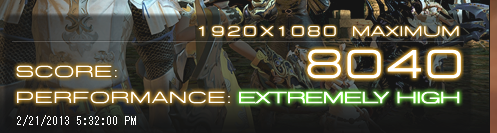
    All of you breaking 8k are all running HD 7900s._ .

  8. #168
    CoP Dynamis
    Join Date
    Jun 2008
    Posts
    251
    BG Level
    4
    FFXI Server
    Alexander

    Quote Originally Posted by Xanthe View Post
    Cross-posting from the Tech thread.

    Spoiler: show


    Full specs here.
    You win O.o

  9. #169
    Ridill
    Join Date
    Jul 2006
    Posts
    12,621
    BG Level
    9
    FFXI Server
    Ramuh
    WoW Realm
    Kilrogg

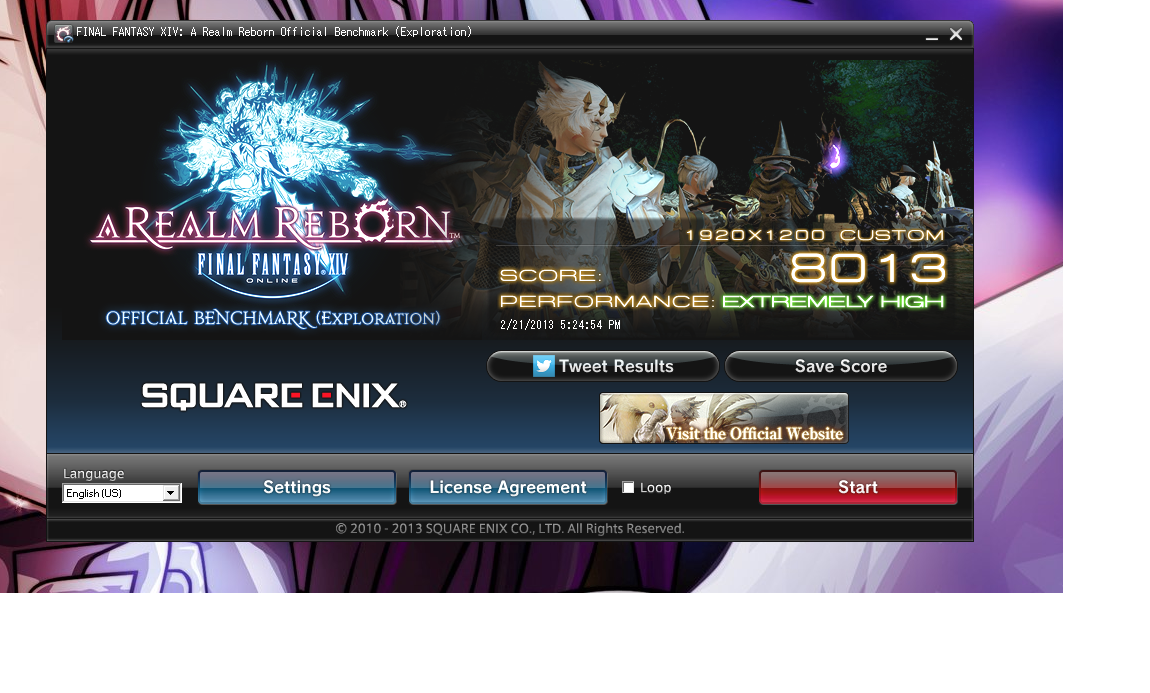
    On max settings. I normally run at 2560x1440 though, and the benchmark doesn't support that. Also, since it doesn't support SLI its meh since I have 680x2. In addition, I also had my 2nd monitor running and my main monitor runs at 2560x1440 (My score would prolly be much higher if I corrected all of that stuff)


    Spoiler: show
    FINAL FANTASY XIV: A Realm Reborn Official Benchmark (Exploration)
    Tested on:2/21/2013 5:24:54 PM
    Score:8013
    Average Framerate:68.010
    Performance:Extremely High
    -Easily capable of running the game on the highest settings.

    Screen Size: 1920x1200
    Graphics Presets: Custom
    General
    -Improve overall graphic quality. : Enabled
    -Disable rendering of objects when not visible. (Occlusion Culling) : Enabled
    -Use low-detail models on distant objects to increase performance. (LOD) : Disabled
    -Cache LOD data only when necessary. (LOD Streaming) : Disabled
    -Smooth edges. (Anti-aliasing) : Enabled
    -Increase transparent lighting quality. : Enabled
    -Grass Quality : High
    Shadows
    -Use low-detail models on shadows to increase performance. (LOD) : Disabled
    -Display : All
    -Shadow Resolution : High: 2048 pixels
    -Shadow Cascading : High
    -Shadow Softening : High
    Texture Detail
    -Texture Filtering : High
    -Anisotropic Filtering : High
    Effects
    -Naturally darken the edges of the screen. (Limb Darkening) : Enabled
    -Blur the graphics around an object in motion. (Radial Blur) : Enabled
    -Effects While in Motion : Display All
    -Screen Space Ambient Occlusion : High
    -Glare : Normal
    Cinematic Cutscenes
    -Enable depth of field. : Enabled

    System:
    Windows 7 Ultimate 64-bit (6.1, Build 7601) Service Pack 1 (7601.win7sp1_gdr.130104-1431)
    Intel(R) Core(TM) i7-3770K CPU @ 4.60GHz
    16338.973MB
    NVIDIA GeForce GTX 680(VRAM 4014 MB) 9.18.0013.1070

    Benchmark results do not provide any guarantee FINAL FANTASY XIV: A Realm Reborn will run on your system.

    FINAL FANTASY XIV: A Realm Reborn Official Website http://na.finalfantasyxiv.com
    (C) 2010-2013 SQUARE ENIX CO., LTD. All Rights Reserved.

    Tweet
    http://sqex.to/ffxiv_bench_na #FFXIV Score:8013 1920x1200 Custom Intel(R) Core(TM) i7-3770K CPU @ 3.50GHz NVIDIA GeForce GTX 680

  10. #170
    New Spam Forum
    Join Date
    Aug 2007
    Posts
    169
    BG Level
    3
    FFXI Server
    Bismarck

    8577 is the best i can do

    Spoiler: show
    FINAL FANTASY XIV: A Realm Reborn Official Benchmark (Exploration)
    Tested on:2/21/2013 7:16:24 PM
    Score:8577
    Average Framerate:74.379
    Performance:Extremely High
    -Easily capable of running the game on the highest settings.

    Screen Size: 1920x1080
    Graphics Presets: Maximum
    General
    -Improve overall graphic quality. : Enabled
    -Disable rendering of objects when not visible. (Occlusion Culling) : Disabled
    -Use low-detail models on distant objects to increase performance. (LOD) : Disabled
    -Cache LOD data only when necessary. (LOD Streaming) : Disabled
    -Smooth edges. (Anti-aliasing) : Enabled
    -Increase transparent lighting quality. : Enabled
    -Grass Quality : High
    Shadows
    -Use low-detail models on shadows to increase performance. (LOD) : Disabled
    -Display : All
    -Shadow Resolution : High: 2048 pixels
    -Shadow Cascading : High
    -Shadow Softening : High
    Texture Detail
    -Texture Filtering : High
    -Anisotropic Filtering : High
    Effects
    -Naturally darken the edges of the screen. (Limb Darkening) : Enabled
    -Blur the graphics around an object in motion. (Radial Blur) : Enabled
    -Effects While in Motion : Display All
    -Screen Space Ambient Occlusion : High
    -Glare : Normal
    Cinematic Cutscenes
    -Enable depth of field. : Enabled

    System:
    Windows 7 Enterprise 64-bit (6.1, Build 7601) Service Pack 1 (7601.win7sp1_gdr.130104-1431)
    Intel(R) Core(TM) i5-3570K CPU @ 3.40GHz
    8079.176MB
    NVIDIA GeForce GTX 670(VRAM 4042 MB) 9.18.0013.1407

    Benchmark results do not provide any guarantee FINAL FANTASY XIV: A Realm Reborn will run on your system.

    FINAL FANTASY XIV: A Realm Reborn Official Website http://na.finalfantasyxiv.com
    (C) 2010-2013 SQUARE ENIX CO., LTD. All Rights Reserved.

    Tweet
    http://sqex.to/ffxiv_bench_na #FFXIV Score:8577 1920x1080 Maximum Intel(R) Core(TM) i5-3570K CPU @ 3.40GHz NVIDIA GeForce GTX 670

  11. #171
    Fake Numbers
    Join Date
    Dec 2009
    Posts
    83
    BG Level
    2
    FFXI Server
    Quetzalcoatl

    Score:1678 Average Framerate:13.165 Performance:Slightly Low
    Screen Size: 1280x720 Graphics Presets: Medium
    System: Windows 7 Home Premium 64-bit (6.1, Build 7601) Service Pack 1 (7601.win7sp1_gdr.130104-1431) AMD Phenom(tm) II X4 945 Processor 8183.891MB ATI Radeon HD 5450(VRAM 240 MB) 8.17.0010.1172


    I hate my video card. Do you guys think it would even be worth trying on my computer? ; ;

  12. #172
    New Merits
    Join Date
    Jan 2010
    Posts
    227
    BG Level
    4
    FFXI Server
    Bismarck

    This is my best ^^ was hoping for 9k but no go yet more tweaking to come lol!

    http://img843.imageshack.us/img843/7610/8936oc.png

    Below are my specs, forgot to save the 8936 run but this is one right before it.
    Spoiler: show

    Performance:Extremely High
    -Easily capable of running the game on the highest settings.

    Screen Size: 1920x1080
    Graphics Presets: Maximum
    General
    -Improve overall graphic quality. : Enabled
    -Disable rendering of objects when not visible. (Occlusion Culling) : Disabled
    -Use low-detail models on distant objects to increase performance. (LOD) : Disabled
    -Cache LOD data only when necessary. (LOD Streaming) : Disabled
    -Smooth edges. (Anti-aliasing) : Enabled
    -Increase transparent lighting quality. : Enabled
    -Grass Quality : High
    Shadows
    -Use low-detail models on shadows to increase performance. (LOD) : Disabled
    -Display : All
    -Shadow Resolution : High: 2048 pixels
    -Shadow Cascading : High
    -Shadow Softening : High
    Texture Detail
    -Texture Filtering : High
    -Anisotropic Filtering : High
    Effects
    -Naturally darken the edges of the screen. (Limb Darkening) : Enabled
    -Blur the graphics around an object in motion. (Radial Blur) : Enabled
    -Effects While in Motion : Display All
    -Screen Space Ambient Occlusion : High
    -Glare : Normal
    Cinematic Cutscenes
    -Enable depth of field. : Enabled

    System:
    Windows 8 Pro with Media Center 64-bit (6.2, Build 9200) (9200.win8_gdr.130108-1504)
    Intel(R) Core(TM) i7-3770K CPU @ 3.50GHz
    16071.891MB
    NVIDIA GeForce GTX 670(VRAM 4042 MB) 9.18.0013.1407

    Benchmark results do not provide any guarantee FINAL FANTASY XIV: A Realm Reborn will run on your system.

    FINAL FANTASY XIV: A Realm Reborn Official Website http://na.finalfantasyxiv.com
    (C) 2010-2013 SQUARE ENIX CO., LTD. All Rights Reserved.

    Tweet
    http://sqex.to/ffxiv_bench_na #FFXIV Score:8901 1920x1080 Maximum Intel(R) Core(TM) i7-3770K CPU @ 3.50GHz NVIDIA GeForce GTX 670

  13. #173
    Relic Shield
    Join Date
    Apr 2006
    Posts
    1,543
    BG Level
    6
    FFXI Server
    Gilgamesh

    Quote Originally Posted by aethyr View Post
    Score:1678 Average Framerate:13.165 Performance:Slightly Low
    Screen Size: 1280x720 Graphics Presets: Medium
    System: Windows 7 Home Premium 64-bit (6.1, Build 7601) Service Pack 1 (7601.win7sp1_gdr.130104-1431) AMD Phenom(tm) II X4 945 Processor 8183.891MB ATI Radeon HD 5450(VRAM 240 MB) 8.17.0010.1172


    I hate my video card. Do you guys think it would even be worth trying on my computer? ; ;
    Honestly your cpu isn't *that* bad. I think You'd be fine to play with a good gpu.

  14. #174
    F5 Like A Boss.
    Join Date
    Sep 2005
    Posts
    7,396
    BG Level
    8
    FFXIV Character
    Kuroki Kaze
    FFXIV Server
    Sargatanas
    FFXI Server
    Quetzalcoatl
    WoW Realm
    Twisting Nether

    I found out why my score was low... My OC wasn't actually working so I was still clocked at 2.8. However, when I turned on the OC to 3.8GHz my new score was 5290. It barely budged. Looks like I may need a new card. lol

    FYI, I'm running latest beta drivers from ATI (13.2).

    System:
    Windows 8 Pro 64-bit (6.2, Build 9200) (9200.win8_rtm.120725-1247)
    Intel(R) Core(TM) i7 CPU 930 @ 2.80GHz
    24574.457MB
    AMD Radeon HD 7800 Series(VRAM 4095 MB) 8.17.0010.1191

    Going to try with ATI Overdrive enabled.

  15. #175
    Ridill
    Join Date
    Jul 2006
    Posts
    12,621
    BG Level
    9
    FFXI Server
    Ramuh
    WoW Realm
    Kilrogg

    dont see the point to tweaking to get the highest possible. its a bottom end benchmark that doesn't support SLI and a bunch of other features. if your getting 8k+ (and have SLI) I doubt you have anything you need to worry about

  16. #176
    F5 Like A Boss.
    Join Date
    Sep 2005
    Posts
    7,396
    BG Level
    8
    FFXIV Character
    Kuroki Kaze
    FFXIV Server
    Sargatanas
    FFXI Server
    Quetzalcoatl
    WoW Realm
    Twisting Nether

    lol with default OverDrive settings I got 5241...

  17. #177
    Relic Shield
    Join Date
    Apr 2006
    Posts
    1,543
    BG Level
    6
    FFXI Server
    Gilgamesh

    Question to the other people with 680s, do you have the 4gb or 2gb edition. Grey Jorildyn got really amazing results with a pretty low clock speed, I'm wondering if it was because his 680 has 4gb?

  18. #178
    SPOONY BeARD
    Join Date
    Jun 2006
    Posts
    291
    BG Level
    4
    FFXIV Character
    Dakin Reyes
    FFXIV Server
    Hyperion

    Still satisfied with my $200 GTX 480 - Need some help in the CPU cooler department to OC more (and I just suck at it). Don't think bumping up the OC a tiny bit will help though.


    Spoiler: show
    FINAL FANTASY XIV: A Realm Reborn Official Benchmark (Exploration)
    Tested on:2/21/2013 9:44:50 PM
    Score:5656
    Average Framerate:47.249
    Performance:Very High
    -Easily capable of running the game. Should perform exceptionally well, even at higher resolutions.

    Screen Size: 1920x1080
    Graphics Presets: Maximum
    General
    -Improve overall graphic quality. : Enabled
    -Disable rendering of objects when not visible. (Occlusion Culling) : Disabled
    -Use low-detail models on distant objects to increase performance. (LOD) : Disabled
    -Cache LOD data only when necessary. (LOD Streaming) : Disabled
    -Smooth edges. (Anti-aliasing) : Enabled
    -Increase transparent lighting quality. : Enabled
    -Grass Quality : High
    Shadows
    -Use low-detail models on shadows to increase performance. (LOD) : Disabled
    -Display : All
    -Shadow Resolution : High: 2048 pixels
    -Shadow Cascading : High
    -Shadow Softening : High
    Texture Detail
    -Texture Filtering : High
    -Anisotropic Filtering : High
    Effects
    -Naturally darken the edges of the screen. (Limb Darkening) : Enabled
    -Blur the graphics around an object in motion. (Radial Blur) : Enabled
    -Effects While in Motion : Display All
    -Screen Space Ambient Occlusion : High
    -Glare : Normal
    Cinematic Cutscenes
    -Enable depth of field. : Enabled

    System:
    Windows 7 Home Premium 64-bit (6.1, Build 7601) Service Pack 1 (7601.win7sp1_gdr.130104-1431)
    AMD Phenom(tm) II X6 1055T Processor
    8113.965MB
    NVIDIA GeForce GTX 480(VRAM 4048 MB) 9.18.0013.0697

    Benchmark results do not provide any guarantee FINAL FANTASY XIV: A Realm Reborn will run on your system.

    FINAL FANTASY XIV: A Realm Reborn Official Website http://na.finalfantasyxiv.com
    (C) 2010-2013 SQUARE ENIX CO., LTD. All Rights Reserved.

    Tweet
    http://sqex.to/ffxiv_bench_na #FFXIV Score:5656 1920x1080 Maximum AMD Phenom(tm) II X6 1055T Processor NVIDIA GeForce GTX 480

  19. #179
    D. Ring
    Join Date
    Jul 2006
    Posts
    4,945
    BG Level
    7
    FFXIV Character
    Grey Jorildyn
    FFXIV Server
    Hyperion

    I don't OC anything, don't even know where to start. This is the exact video card I have: http://www.newegg.com/Product/Produc...82E16814121634

    2gb model but asus is king imo

  20. #180
    Relic Horn
    Join Date
    Dec 2005
    Posts
    3,363
    BG Level
    7
    FFXIV Character
    Xanthe Celaeno
    FFXIV Server
    Hyperion
    FFXI Server
    Carbuncle

    GPU seems to make the most difference with the benchmark. Overclocking my GPU (max OverDrive) netted me with an extra ~1200, but overcloking my CPU from its previous 3.9GHz to 4.56GHz only netted me another ~150. Quite the about-face from the CPU-driven FFXI.
Page 9 of 65 FirstFirst ... 7 8 9 10 11 19 59 ... LastLast