 XI Wiki

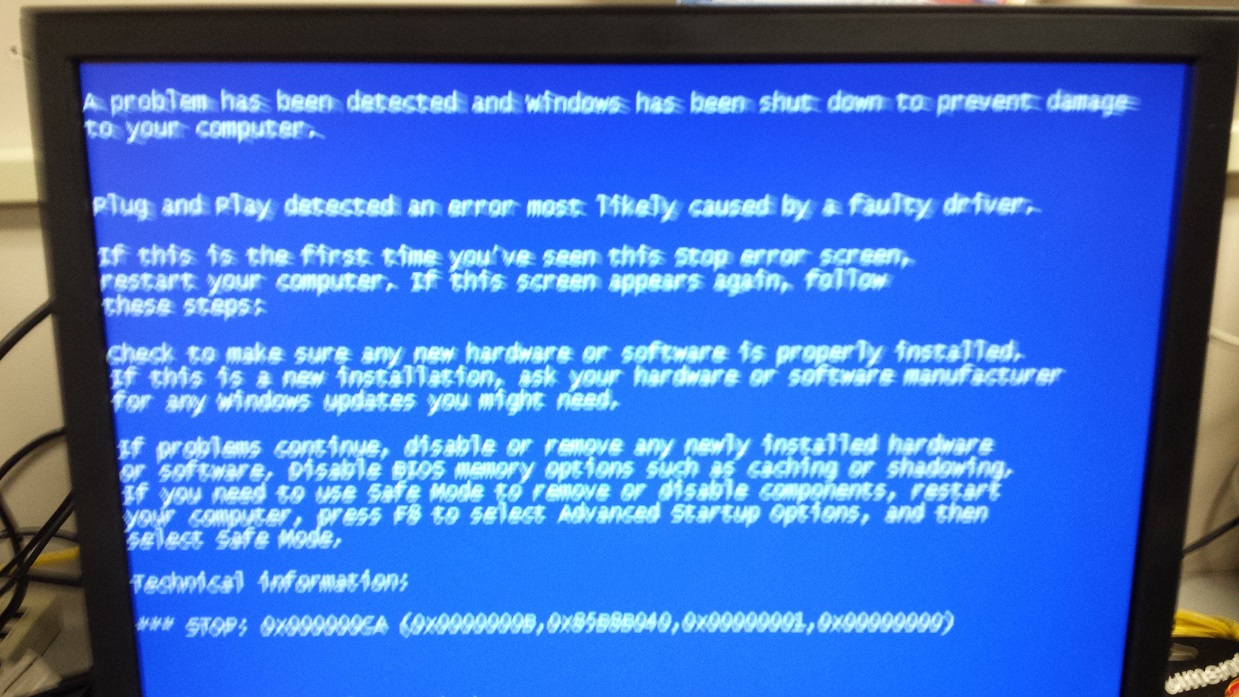
So we have a student that requires their machine to be put in colorblind mode. It's not hard to set windows up like that, but some of the programs we use won't honor the fact windows is in colorblind mode and they will open in regular versions which doesn't work. The workaround used to be installing catalyst control center and changing the contrast from there, however each time we go to install we get a BSOD.
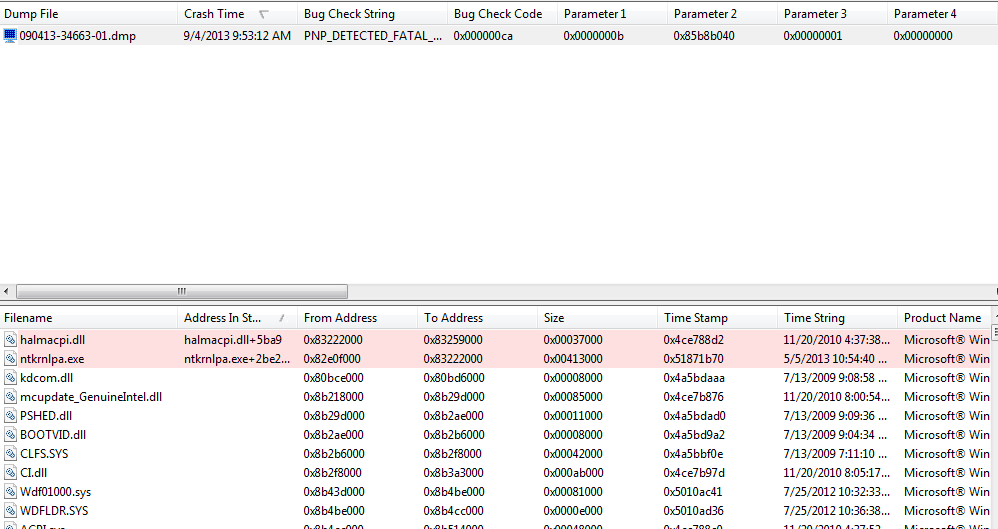
It's x0ca due to an error with PnP and a corrupt driver. I can't figure out what driver it is though, as all of our machines have a base image with all needed drivers installed. I ran bluescreenview and it told me that ntkrnl.exe was the cause, but I don't think that's likely?
I can't upload the dump because I had to reimage the machine. Tried to install updates on it and it just spiraled into a install loop and wouldn't even boot into safemode..
Anyone know of any other workaround that might work? Tried all diff types of CCC drivers, but i'm not sure if there is a standalone install or if I need to install video drivers as well 100% of the time.
- Navigation
Results 1 to 9 of 9
Thread: Colorblind mode. Windows 7


-
2013-09-04 07:32 #1Ridill

- Join Date
- Jul 2008
- Posts
- 11,250
- BG Level
- 9

Colorblind mode. Windows 7
-
2013-09-04 07:46 #2Hyperion Cross
- Join Date
- Jan 2007
- Posts
- 8,885
- BG Level
- 8
- FFXIV Character
- Kai Bond
- FFXIV Server
- Gilgamesh


I don't have a Win7 machine handy at the moment but are you able to check the properties of the EXE and then see if there are any similar options? I know Vista/7 expanded the options in there a lot more than XP, but I don't remember at this moment in time what options there are.
-
2013-09-04 08:21 #3Ridill
- Join Date
- Jul 2008
- Posts
- 11,250
- BG Level
- 9
I took that from the chromium page talking about high contrast. It seems like the application itself doesnt support it, even though their tech support is telling me it does.While Mac OS X and Linux provide this at the OS compositor layer (so apps don't have to do anything), Windows implements this by changing system colors and expects apps to use these colors.
-
2013-09-04 09:04 #4Ridill
- Join Date
- Jul 2008
- Posts
- 11,250
- BG Level
- 9
==================================================
Dump File : 090413-34663-01.dmp
Crash Time : 9/4/2013 9:53:12 AM
Bug Check String : PNP_DETECTED_FATAL_ERROR
Bug Check Code : 0x000000ca
Parameter 1 : 0x0000000b
Parameter 2 : 0x85b8b040
Parameter 3 : 0x00000001
Parameter 4 : 0x00000000
Caused By Driver : ntkrnlpa.exe
Caused By Address : ntkrnlpa.exe+debf0
File Description : NT Kernel & System
Product Name : Microsoft® Windows® Operating System
Company : Microsoft Corporation
File Version : 6.1.7601.18147 (win7sp1_gdr.130505-1534)
Processor : 32-bit
Crash Address : ntkrnlpa.exe+debf0
Stack Address 1 : ntkrnlpa.exe+2be2c0
Stack Address 2 : ntkrnlpa.exe+2bde95
Stack Address 3 : ntkrnlpa.exe+2c1160
Computer Name :
Full Path : C:\Windows\Minidump\090413-34663-01.dmp
Processors Count : 2
Major Version : 15
Minor Version : 7601
Dump File Size : 145,504
Dump File Time : 9/4/2013 9:54:15 AM
==================================================
-
2013-09-04 10:17 #5Relic Shield
- Join Date
- Nov 2004
- Posts
- 1,429
- BG Level
- 6
- FFXI Server
- Bahamut
Download this and see if it can help give you more insight into the driver that's causing the issue.
-
2013-09-04 11:33 #6Ridill
- Join Date
- Jul 2008
- Posts
- 11,250
- BG Level
- 9
I'm thinking it might not have been a driver but McAfee after all that. Read up a little more and someone recommended disabling AV. Sure enough after I stopped McAfee it installed w/o a BSOD...
-
2013-09-04 12:16 #7Relic Shield
- Join Date
- Nov 2004
- Posts
- 1,429
- BG Level
- 6
- FFXI Server
- Bahamut
One of the things I read on the issue did say AV can ause the BSoD so that makes sense. That and McAfee sucks.
-
2013-09-04 13:42 #8Ridill
- Join Date
- Jul 2008
- Posts
- 11,250
- BG Level
- 9
Yeah I freaking hate McAfee but I guess we have some sort of deal with them at my job sadly. Netsupport and TI smartview are 2 other shitty programs as well

-
2013-09-05 07:16 #9Relic Shield
- Join Date
- Nov 2004
- Posts
- 1,429
- BG Level
- 6
- FFXI Server
- Bahamut
Everybody has a deal with McAfee. Usually big companies get it through resellers like Ingram Micro or Tech Data because they can get a bulk discount. I absolutely HATE the program, and so does founder John McAfee. (NSFW but wildly hilarious link)
However, you can let your bosses know that the cloud idea I've got for you can consolidate license fees for McAfee, Office, etc. into a single renewal which will save them time and money.
Also, since all the programs would be web based going forward, you would just need to make sure that the web browser works in colorblind mode and everything else will fall into place.


Similar Threads
-
final fantasy 7 in windowed mode
By Gippo in forum TechReplies: 4Last Post: 2009-05-11, 23:48 -
WoW "bleeding through" to other screens in windowed mode
By Achika in forum TechReplies: 6Last Post: 2009-04-17, 13:07 -
FFXI Windowed Mode(Windows Vista) problem.
By Mayareira in forum TechReplies: 3Last Post: 2008-11-21, 05:44 -
pol not loading in windowed mode at high res D:
By shaddix in forum TechReplies: 0Last Post: 2008-10-20, 16:14 -
FFXI Gamepad issues with Windowed Mode.
By Jujubee in forum TechReplies: 3Last Post: 2008-08-25, 15:18 -
Running FFXI's Official Windowed Mode on Windower
By Tyr in forum TechReplies: 2Last Post: 2008-06-01, 09:25