XI Wiki

Post an example?
- Navigation
Results 541 to 560 of 656
Thread: ACT question


-
2015-09-28 20:38 #541CoP Dynamis

- Join Date
- Sep 2013
- Posts
- 271
- BG Level
- 4
- WoW Realm
- Jubei'Thos

-
2015-09-29 00:30 #542Salvage Bans
- Join Date
- Dec 2005
- Posts
- 873
- BG Level
- 5
- FFXIV Character
- Sigmakan Kaph
- FFXIV Server
- Hyperion
- FFXI Server
- Bahamut

the whole log file?
well shit now its working in ACT, only not working on FFlogs now
-
2015-09-30 17:58 #543Salvage Bans
- Join Date
- Dec 2005
- Posts
- 873
- BG Level
- 5
- FFXIV Character
- Sigmakan Kaph
- FFXIV Server
- Hyperion
- FFXI Server
- Bahamut
Response from the FFLogs person:
There is an issue where NUL characters can be written into the log file. This seems to be occurring because of the chat log lines. The plugin-author, Ravahn, is going to release an update to hopefully address this issue, since it's very hard for me to deal with on my end.
-
2015-10-12 03:08 #544Smells like Onions
- Join Date
- Oct 2015
- Posts
- 1
- BG Level
- 0

Hey all, I've done a bit of googling on the issue, but nothing seems to be turning up.
I'm creating a regex for A3S regarding the Digitize debuff, so that it auto calls out the name of the tank I need to swap with for our strategy.
I current have the following, which works except the TTS output is prepended by what seems to be a HEX code or other identifier.
As an example, this makes the TTS output play verbally as "00:4DF Jane Doe Vuln Up"
I'm wondering if this is an issue with the regex code I'm using, or if its just something to do with ACT or FFXIV that I can't fix.
TTS
REGEXCode:${Player} Vuln Up
Code:(?<Player>.+) suffers the effect of Marked for Vulnerability Up.
-
2015-10-12 10:10 #545Ridill
- Join Date
- Feb 2006
- Posts
- 11,977
- BG Level
- 9
I don't see why you need to use ACT callouts for the tank debuff, but here is what I'd do...
([\w\']+)(?:[\w\' ]+)? suffers? the effect of Marked for Vulnerability Up\.
Vuln up on $1 $2
-
2015-10-12 12:18 #546Pay No Attention to the Man Behind the Curtain

- Join Date
- Jan 1970
- Posts
- 3,513
- BG Level
- 7
- FFXIV Character
- Ragns Meuhie
- FFXIV Server
- Gilgamesh
- FFXI Server
- Bahamut
- Blog Entries
- 173


 What you want is something like this:
 Originally Posted by woofish

TTS
REGEXCode:${Player} Vuln Up
Code:(?<Player>[A-Z][a-z']+ [A-Z][a-z']+?) suffers the effect of Marked for Vulnerability Up.
-
2015-10-18 16:42 #547RIDE ARMOR
- Join Date
- Apr 2015
- Posts
- 14
- BG Level
- 1
Installed Windows 10 and getting an issue with ACT and Rainbowmage overlay. can't get overlay to show up at all, ACT throws an error like this:
this is a fresh install of ACT w/ that Overlay Plugin installer 0.3.3.8. inexplicably the overlay will actually work on first boot up occasionally.Code:System.InvalidOperationException: Failed to create browser. at Xilium.CefGlue.CefBrowserHost.CreateBrowser(CefWindowInfo windowInfo, CefClient client, CefBrowserSettings settings, String url, CefRequestContext requestContext) at RainbowMage.HtmlRenderer.Renderer.BeginRender(Int32 width, Int32 height, String url, Int32 maxFrameRate) in c:\Users\john_000\Repos\Personal\OverlayPlugin-Compiler\OverlayPlugin\HtmlRenderer\Renderer.cs:line 51 at RainbowMage.OverlayPlugin.OverlayForm.UpdateRender() in c:\Users\john_000\Repos\Personal\OverlayPlugin-Compiler\OverlayPlugin\OverlayPlugin.Core\OverlayForm.cs:line 280 at RainbowMage.OverlayPlugin.Overlays.MiniParseOverlay.Navigate(String url) in c:\Users\john_000\Repos\Personal\OverlayPlugin-Compiler\OverlayPlugin\OverlayPlugin.Core\Overlays\MiniParseOverlay.cs:line 32 at System.Windows.Forms.Control.OnClick(EventArgs e) at System.Windows.Forms.Button.OnClick(EventArgs e) at System.Windows.Forms.Button.OnMouseUp(MouseEventArgs mevent) at System.Windows.Forms.Control.WmMouseUp(Message& m, MouseButtons button, Int32 clicks) at System.Windows.Forms.Control.WndProc(Message& m) at System.Windows.Forms.ButtonBase.WndProc(Message& m) at System.Windows.Forms.Button.WndProc(Message& m) at System.Windows.Forms.NativeWindow.Callback(IntPtr hWnd, Int32 msg, IntPtr wparam, IntPtr lparam)
to be precise this appears to be an issue only if you select the "streamer version" of the installation, which is rough because i do want to record the overlay in videos
-
2015-10-18 17:03 #548Pay No Attention to the Man Behind the Curtain
- Join Date
- Jan 1970
- Posts
- 3,513
- BG Level
- 7
- FFXIV Character
- Ragns Meuhie
- FFXIV Server
- Gilgamesh
- FFXI Server
- Bahamut
- Blog Entries
- 173
ACT devs already said for the past 2 months that ACT on Windows 10 is half broken until further notices. Originally Posted by technominari
-
2015-10-18 17:29 #549Ridill
- Join Date
- Apr 2007
- Posts
- 13,293
- BG Level
- 9
Why do people use new OS before they've been out for like a year at least.
I know this one was free and all, but still.
-
2015-10-30 06:59 #550Salvage Bans
- Join Date
- Feb 2014
- Posts
- 989
- BG Level
- 5
- FFXIV Character
- Harold Saxon
- FFXIV Server
- Ragnarok
 Notes from the last update.I have just uploaded a new version, v1.4.2.0.
This release primarily affects where buff data is pulled from when parsing in network mode. Previously it was pulled from game memory, but now it is retrieved from the network packets directly. This should provide more accurate time synchronization when calculating damage effects and DoT tick amounts.
Other changes include:
Added some memory reading features to assist with WitcherMog's new overlay add-on.
Modified log writing routines to replace NULL characters with spaces.
Implemented correct potency for Death Blossom with / without the enhanced trait.
Modified the DoT tick count for Scourge with / without the enhanced trait.
Fixed the DoT crit bonus damage amount to correctly snapshot crit buffs at the time of application. Previously it was trying to calculate based on active buffs using the buff timestamp, which could occasionally be problematic.
I'm going to work next on a change to network parsing to optionally retrieve data using the WinPCap network packet capture driver. This may allow people having problems with network parsing mode to get it working. However, it will of course require downloading and installing the free WinPCap driver separately from the FFXIV Plugin. The current network parsing will remain as the default parsing mode.
As I've stated before, the memory parsing mode will miss some combat data, and should not be used except as a last resort. In particular, Wildfire is a problem.
-
2015-10-30 09:27 #551Ridill
- Join Date
- Feb 2006
- Posts
- 11,977
- BG Level
- 9
I also noticed the Savage zone names are added so no more "unknown zones"!
-
2015-11-02 10:27 #552Ridill
- Join Date
- Feb 2006
- Posts
- 11,977
- BG Level
- 9
(deleted)
-
2015-11-02 10:43 #553Relic Horn
- Join Date
- Mar 2012
- Posts
- 3,081
- BG Level
- 7
- FFXIV Character
- Scrappy Doo
- FFXIV Server
- Sargatanas
- FFXI Server
- Asura
every time I open act I have to uncheck the network data thing in the ffxiv plugin tab to get the parser to start working, how do I fix this to avoid having to do that?
-
2015-11-02 10:56 #554Ridill
- Join Date
- Feb 2006
- Posts
- 11,977
- BG Level
- 9
Did you add ACT to your windows firewall exceptions and are you running ACT as Administrator? Originally Posted by Fondue
-
2015-11-02 12:34 #555Relic Horn
- Join Date
- Mar 2012
- Posts
- 3,081
- BG Level
- 7
- FFXIV Character
- Scrappy Doo
- FFXIV Server
- Sargatanas
- FFXI Server
- Asura
I've been using act for like 2 years with no changes as far as I can tell until it started doing that about a month ago, I'll check the firewall when I get home though
-
2015-11-03 07:02 #556Salvage Bans
- Join Date
- Feb 2014
- Posts
- 989
- BG Level
- 5
- FFXIV Character
- Harold Saxon
- FFXIV Server
- Ragnarok
Another patch.Released v1.4.2.1. Changes include:
Added a new feature to network parsing to pull network data from the established WinPCap library, instead of using my own code. This feature requires installing a separate program from WinPcap - Home or Win10Pcap - WinPcap for Windows 10 . Consider it a Beta feature for now, but I'm adding it in the hopes that people who cannot get network parsing to work due to issues with conflicting software or windows security may be able to use this instead. It can be enabled by checking the "Use WinPCap" checkbox on the FFXIV Settings tab.
Fixed some buff issues with Damage Down effects in some of the Savage zones that were causing incorrect DoT calculations. There may be other buff issues that I need to take a look at, but this was particularly bad.
Fixed a bug that prevented some buff durations from being refreshed in the log data. Most notably this affected Foe Requiem, which is refreshed automatically every three seconds.
Added back the human-readable log information when buffs are added/removed so that custom triggers work again. This should match what was there before v1.4.2.0, with the addition of the number of buff stacks added to the end of the line.
Fixed a network parsing-related bug that was occasionally showing errors about insufficient buffer space.
For those wishing to help me improve the parser, I could use some log data from v1.4.2.1 of the plugin in 8-man zones. As usual, these would be the files named Network_yyyymmdd.log in the C:\Users\%USERNAME%\AppData\Roaming\Advanced Combat Tracker\FFXIVLogs folder. You can email them to me at ravahn (at) hotmail.com.
-
2015-11-10 14:33 #557Ridill
- Join Date
- Apr 2007
- Posts
- 13,293
- BG Level
- 9
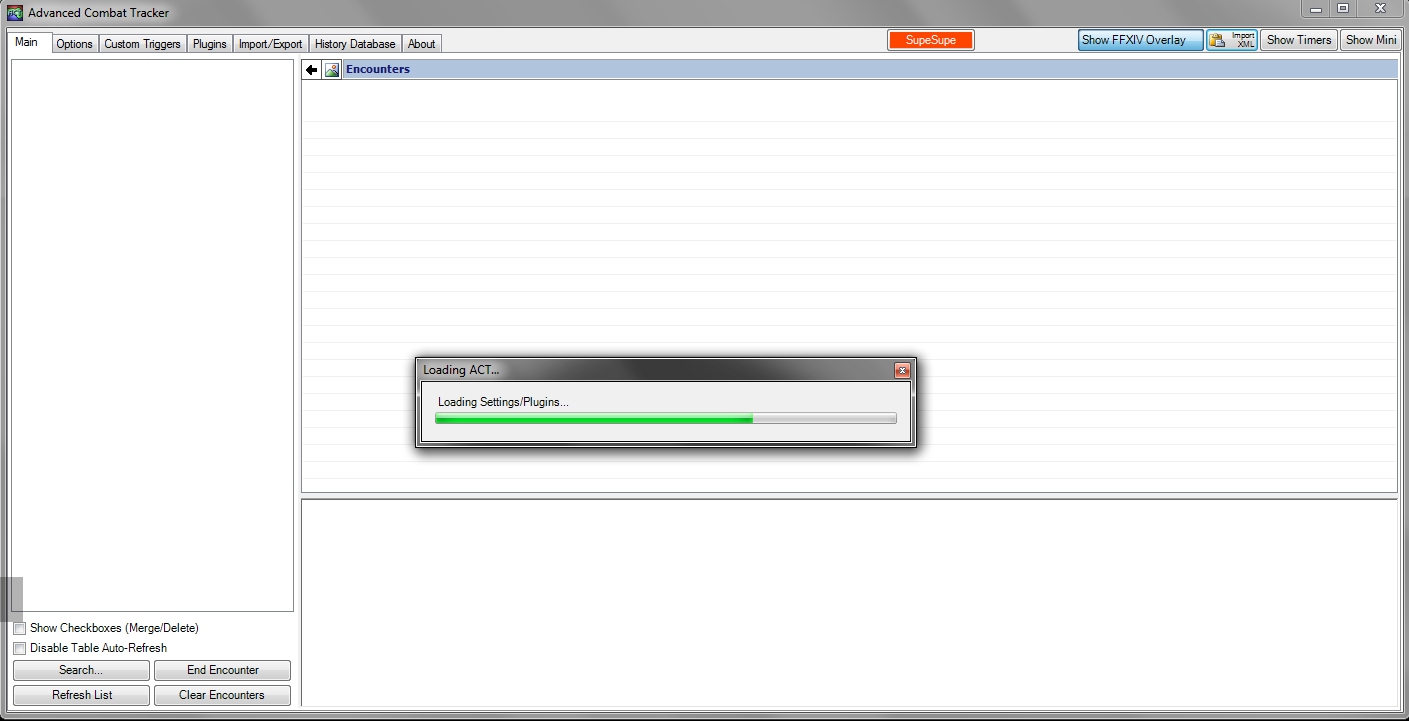
ACT hanging on load perpetually after the patch for me, have to open tank manager to close it.
Anyone else?
Spoiler: show
-
2015-11-10 14:43 #558Ridill
- Join Date
- Feb 2006
- Posts
- 11,977
- BG Level
- 9
ACT is currently broken:
https://www.reddit.com/r/ffxiv/comme...ak_act/cwve2np
-
2015-11-10 16:56 #559Melee Summoner
- Join Date
- Nov 2013
- Posts
- 34
- BG Level
- 1
ACT FFXIV plugin is fixed now. Memory mode DoTs are disabled until I spend a couple hours verifying that the memory structure hasn't changed. Network mode should work 100% though as of v1.4.2.3.
Anyone tried using the WinPCap option yet?
-
2015-11-10 19:12 #560Ridill
- Join Date
- Apr 2007
- Posts
- 13,293
- BG Level
- 9
Thanks for the quick fix.
What's it supposed to do? Originally Posted by Ravahn