 XI Wiki

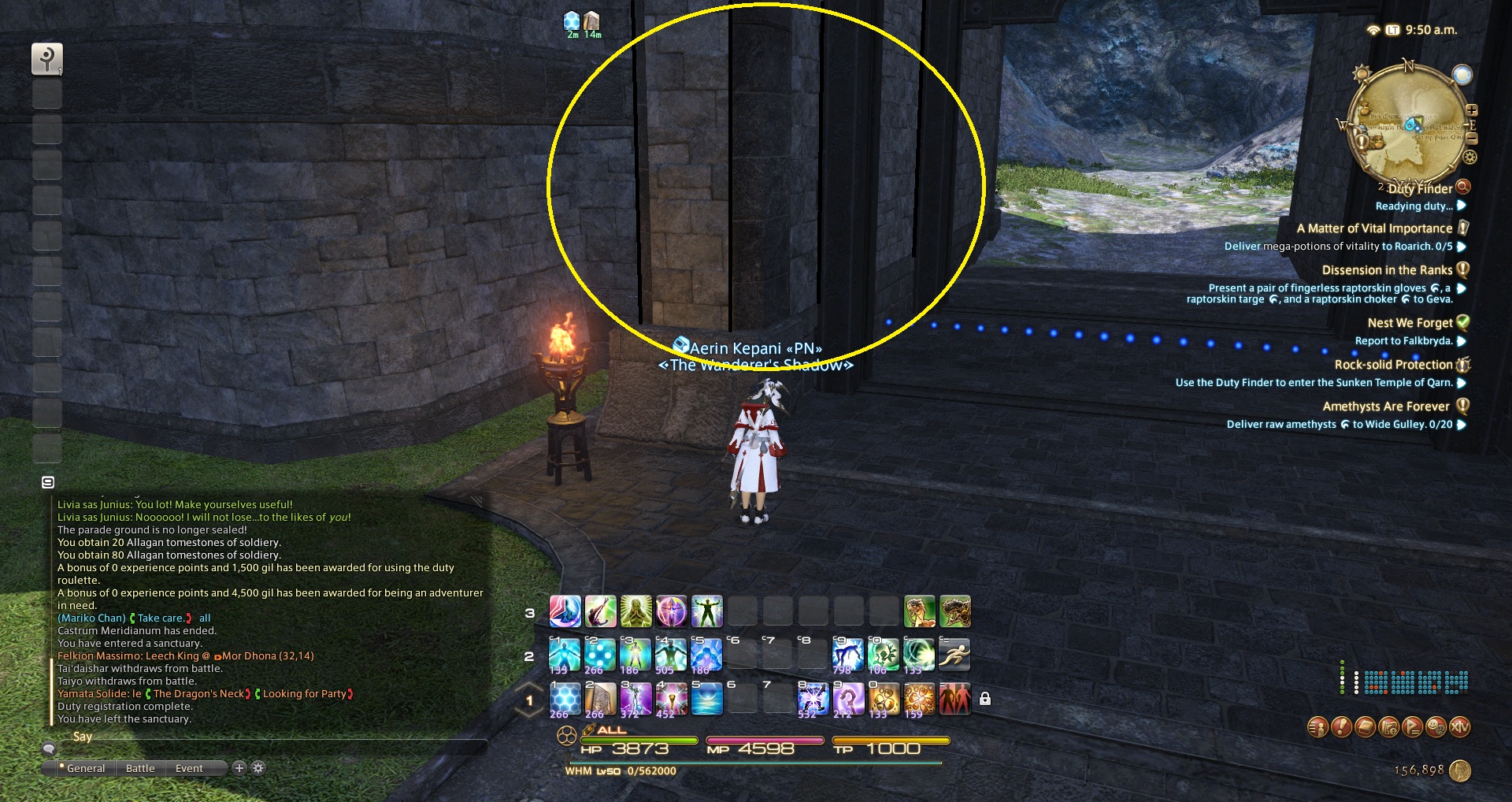
I'm having an odd problem that I'm not sure what to call. Whenever I move an object on my screen, be it a browser window or a game such as FFXIV, there's a black afterimage.
I can't capture it with a screenshot or video. Tried capturing it with Fraps but when I watched the video on another computer the problem wasn't there. I've used my awesome skills with Paint to illustrate how it looks on my screen. When I pan left for instance, these black lines will show up when the camera is moving. The faster I move the camera the thicker the lines are.
Any help is appreciated.
- Navigation
Results 1 to 4 of 4
Thread: Screen Motion Blur


-
2014-11-29 13:05 #1Nidhogg

- Join Date
- Feb 2006
- Posts
- 3,901
- BG Level
- 7
- FFXI Server
- Carbuncle

Screen Motion Blur
-
2014-11-29 13:10 #2Ranger
9900klub
- Join Date
- Apr 2005
- Posts
- 9,976
- BG Level
- 8
- FFXIV Character
- Sonomaa Kihten
- FFXIV Server
- Gilgamesh
- FFXI Server
- Bahamut
- WoW Realm
- Durotan
- Blog Entries
- 12


do you have vsync on? sounds like that might be screen tearing
-
2014-11-29 13:19 #3Nidhogg
- Join Date
- Feb 2006
- Posts
- 3,901
- BG Level
- 7
- FFXI Server
- Carbuncle
Yeah I changed the vsync setting to Adaptive because there was some screen tearing going on in game. But this problem still persists.
-
2014-11-29 14:18 #4Nidhogg
- Join Date
- Feb 2006
- Posts
- 3,901
- BG Level
- 7
- FFXI Server
- Carbuncle
Think I figured it out actually, after looking at this for hours last night and this morning. The problem is a monitor setting. I'm using an ASUS VS247H and it has a "Trace Free" setting that was set to 60. I set it to 0 and the problem is gone now. Objects are still blurry when the camera moves in the game, but might not be able to do anything about that.

